Security scanning
Opt-in prompt-injection and jailbreak detection at the gate, scanned before dispatch. Three modes: off | log | block. off skips the scan. log records findings without blocking traffic. block refuses detected attacks and fails closed when Prompt Guard is unavailable or classification fails or is incomplete. No automatic model fallback.
Security always uses Llama Prompt Guard 2 86M (sluis/prompt-guard-2-86m), inside Sluis without external transfer of scan text. EUR 0.01 per completed logical scan, once regardless of windows or verdict, including sampled-safe results; no token surcharge. Off, preflight refusals and technical failures are not charged. Overlapping windows of at most 512 model tokens preserve segment boundaries, within the configured total scan budget of 4096 to 65536 tokens. The fixed detection threshold is 0.8. Scanning follows data protection, which can retain personal data when off or logging-only. Scans add latency and have bounded deadlines. Long inputs use selected excerpts; a safe result covers only inspected text, not the full input. Audit records inspected and total bytes. Built with Llama. Meta Llama 3.1 Community License.
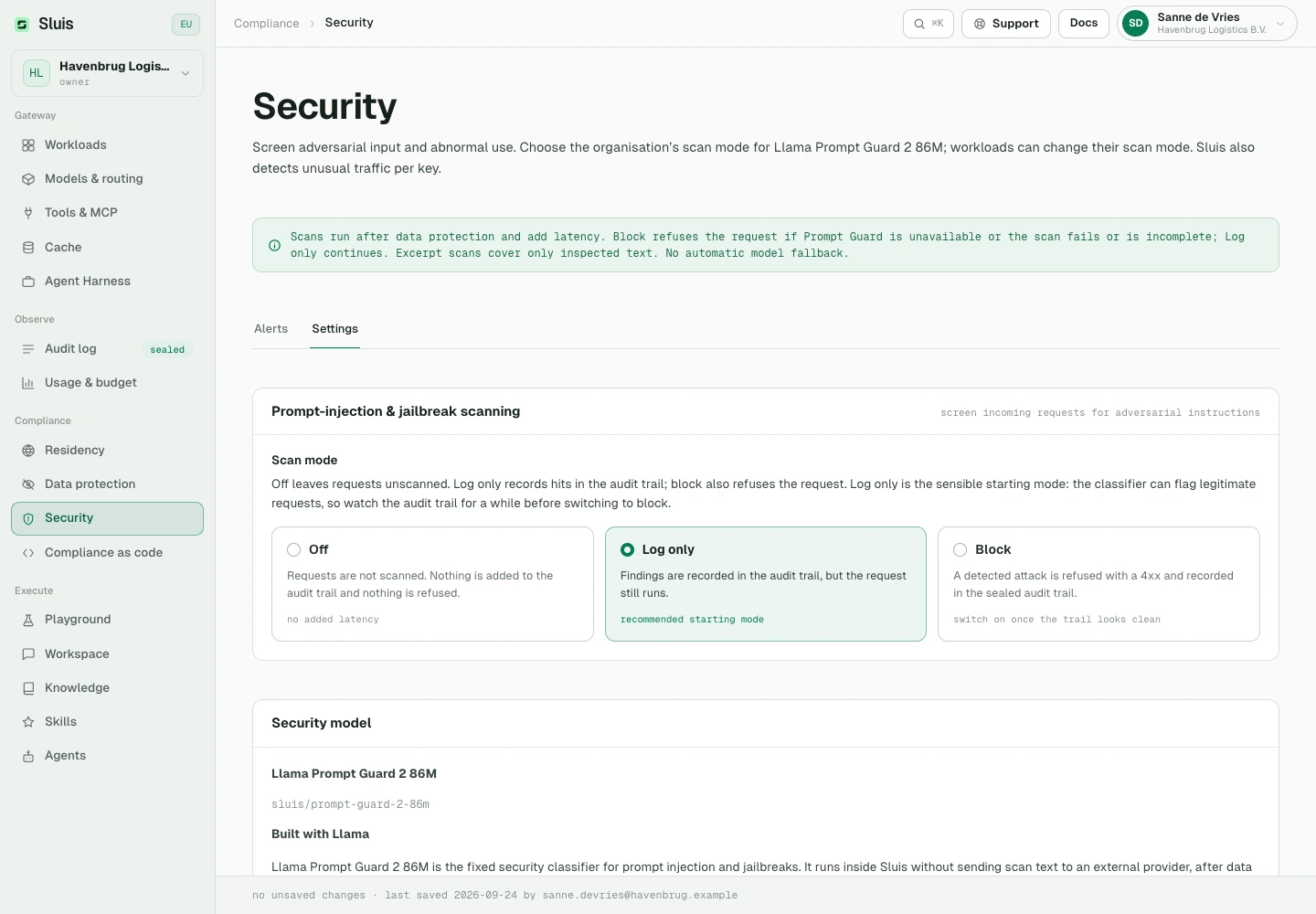
Each scan has a separate, linked billable audit entry: sec:injection:<score>. Charges can still apply when the parent request is blocked or served from cache. Workload overrides can change the scan mode. Separately, optional Nemotron privacy inspection uses Nebul under your residency policy and is token-priced.
Separately, opt-in key-behaviour anomaly detection runs as a background job with zero request latency: per-key baselines from robust statistics with hour-of-week seasonality, plus a multivariate isolation-forest layer. Alerts are explainable, never a bare score, and land in the Console's Security view, optionally by email.
Account security
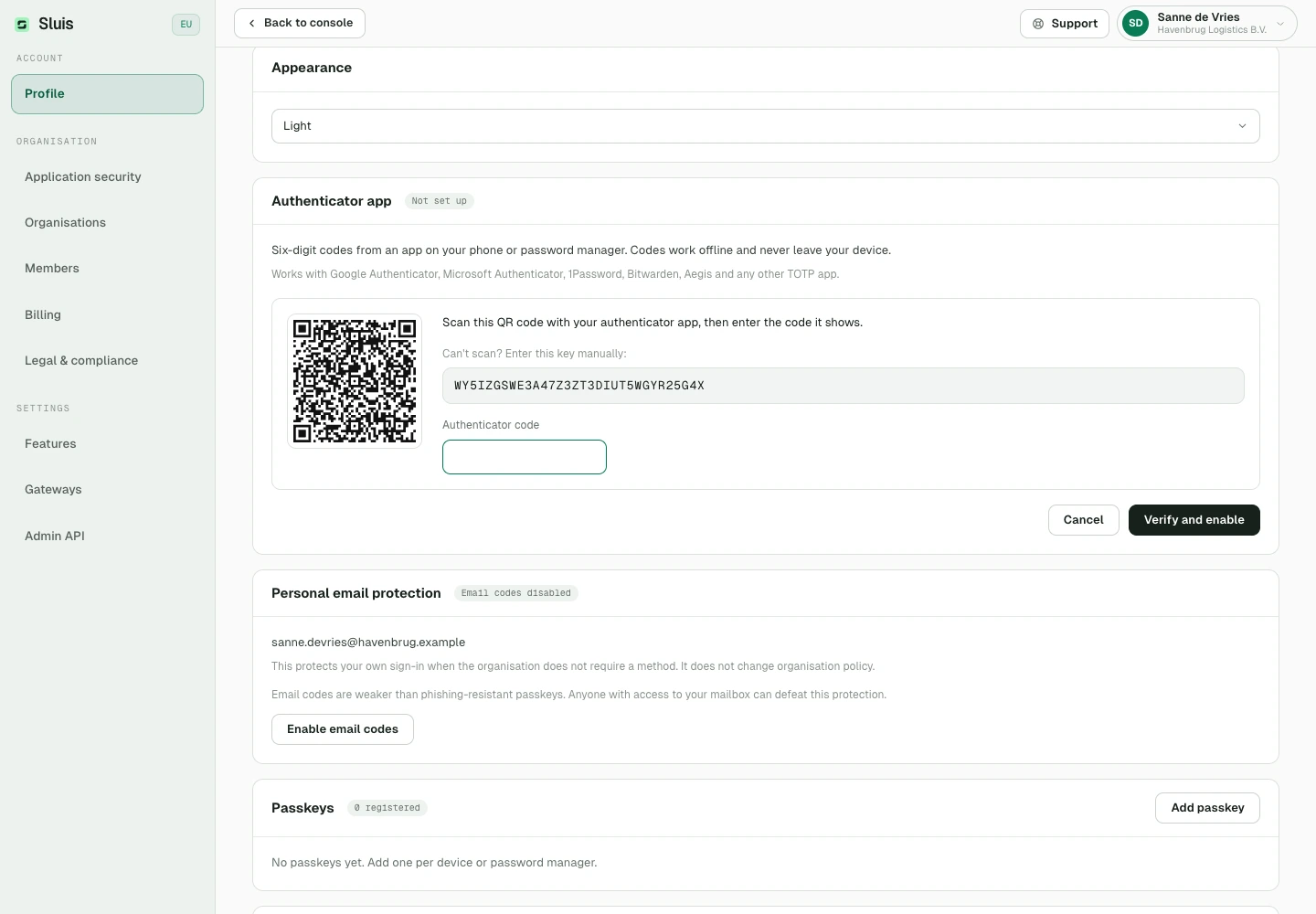
Sign in with email and password, or with Google, Apple or Microsoft (work or school accounts in Microsoft Entra ID). In Profile, add a passkey or an authenticator app as your second factor: any TOTP app works, such as Google Authenticator, Microsoft Authenticator, 1Password or Bitwarden. Once you have a second factor you can generate one-time recovery codes. Owners and admins can require two-factor authentication for the organisation under Settings › Application security and choose which method counts: passkeys, email codes or an authenticator app. Members who lack it must set it up before they can continue. A session started with Google sign-in is exempt from that requirement; Apple, Microsoft and password sign-ins are not. Sign-in events are sealed to the audit log.
Verify the seal
Every call appends an entry to the hash chain. Each entry's hash is sha256(prev_hash + record), so any altered field downstream breaks every link after it. Read the audit metadata over the admin API; a full export and a chain verification run through the gateway CLI.
In the console's Audit log, each request is one row. Expand it to see the checks it ran: name recognition, LLM privacy inspection, the workload scope guard and the security scan. Each check remains its own sealed entry in the chain, with its own cost. GET /admin/audit returns them in the request's checks list.
# audit metadata over the admin API, admin token scope audit:read
curl "https://api.sluis.ai/admin/audit?from=2026-09-01" \
  -H "Authorization: Bearer $SLUIS_ADMIN_TOKEN"

# a full export and a chain verification are operator CLI subcommands
sluis-gateway audit export --tenant $TENANT_ID
sluis-gateway audit verify-chain --tenant $TENANT_ID

# → chain intact