MCP tools
External tool servers behind the same compliance gate, with per-key deny-by-default grants.
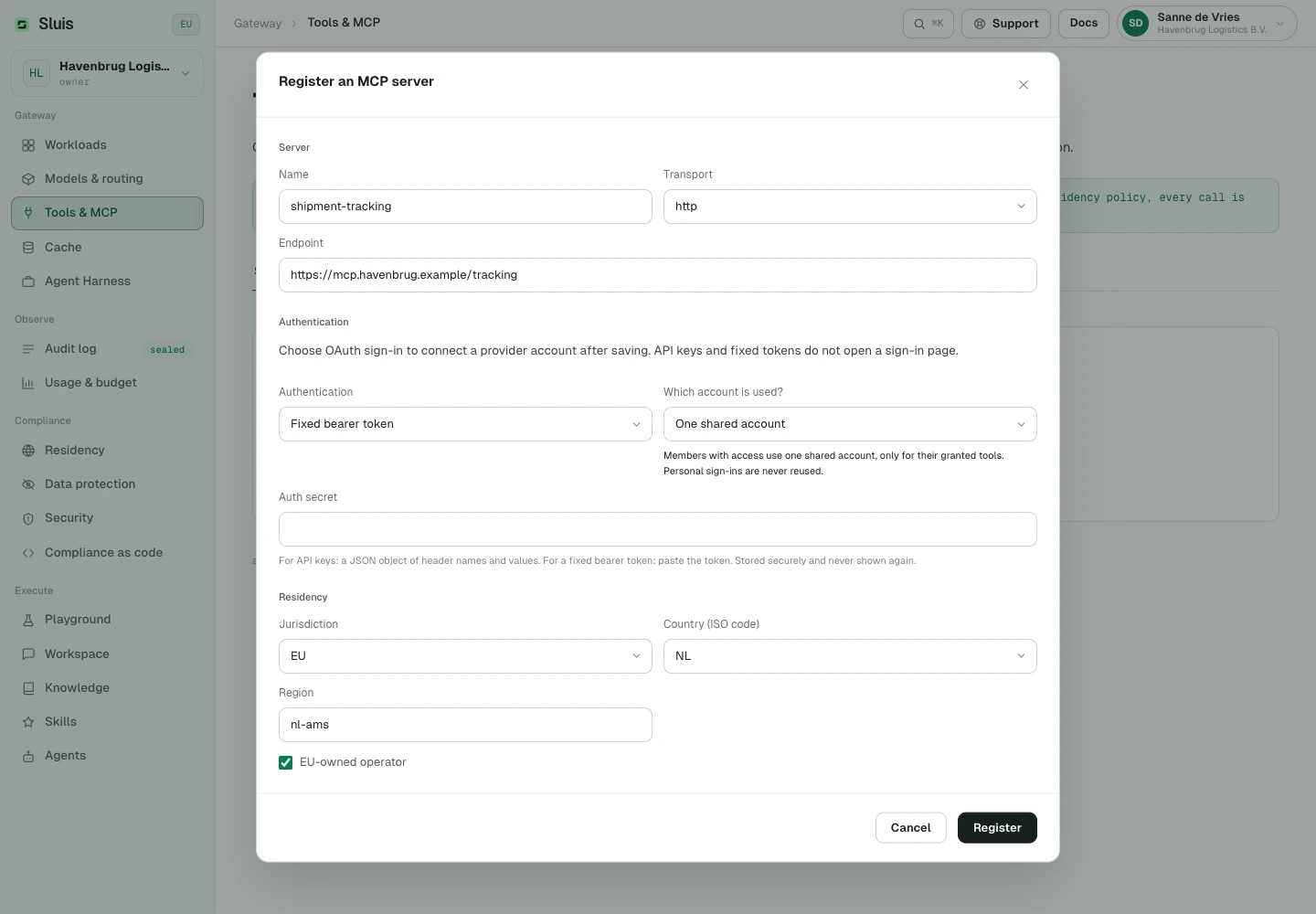
Register external MCP tool servers (HTTP, SSE, or stdio) in the Console with residency tags; auth secrets are sealed in the credential vault and never echoed back.
Every tool call clears the same gate as a chat completion: Inspect (data protection on the arguments), Route (residency on the server), Seal (audit chain), Meter (rate and budget). Tool grants are per-key and deny-by-default. Sluis also answers POST /v1/mcp as an MCP server itself, exposing exactly the tools the calling key is granted.
# list the tools this key is granted (deny-by-default)
curl https://api.sluis.ai/v1/mcp \
  -H "Authorization: Bearer $SLUIS_KEY" \
  -d '{ "jsonrpc": "2.0", "id": 1, "method": "tools/list" }'

# every tools/call clears Inspect → Route → Seal → Meter
# invoke a granted tool — the call clears Inspect → Route → Seal → Meter
curl https://api.sluis.ai/v1/mcp \
  -H "Authorization: Bearer $SLUIS_KEY" \
  -d '{ "jsonrpc": "2.0", "id": 2, "method": "tools/call",
        "params": { "name": "crm.lookup", "arguments": { "email": "j.devries@acme.nl" } } }'
{
  "jsonrpc": "2.0",
  "id": 2,
  "result": {
    "content": [{ "type": "text", "text": "1 match: account 8817, status active" }]
  }
}
MCP authentication: two directions
Static server credentials
Use headers for fixed headers. The legacy oauth value means a static OAuth bearer token stored in the vault, not browser sign-in.
Account mode
For interactive OAuth, Organisation (account_mode=organization) uses a shared identity explicitly connected by an admin with OAuth. It never reuses a personal credential. Each user (account_mode=user) uses only the acting member’s connection. Authentication is separate: interactive OAuth uses user_oauth; the legacy oauth value remains a static bearer token.
Personal upstream connections
In Each user mode, sign in to the upstream service in Workspace → Settings → Connections. Admin-added servers must first be granted to Workspace. A connection does not bypass tool grants, residency, data protection or budgets. Admins can view status and revoke connections, but cannot use another member’s identity. Calls without a user actor, including organisation-owned keys, are refused in Each user mode. GET/PUT /chat/settings exposes mcp_enabled (boolean, default true for new organisations, legacy settings and an absent response field). Omitting it from PUT preserves the current value, including false. When false, Workspace does not discover MCP tools and rejects their execution, including previously discovered tools in existing conversations, Agents and subagents. Registrations, approvals, grants and credentials are preserved. External /agent/mcp, /v1/mcp and console Playground are unaffected. Personal server registration policy remains independent and organisation-wide. Owners and admins switch it with MCP tools in Workspace conversations in the console's Workspace configuration. When a Workspace tool call reaches an Each user server you have not connected, or the service no longer accepts your sign-in, the tool returns connect_required and the answer shows a Connect action for that server; nothing runs under another identity.
Personal MCP suggestions
Personal MCP suggestions are Off by default. Require admin approval lets members submit private, requester-only servers. Admins review the tools, residency and authentication explicitly; approval never grants wildcard access or automatically promotes a server to the organisation. Private servers support none (no upstream sign-in) or interactive OAuth, not personal static secrets. Off pauses existing personal servers, but does not block sign-in to admin-added servers. A member's request names only the server and its endpoint; while pending it neither contacts the server nor grants tools. Approval sets the reviewed configuration and an explicit list of tool names, available to the requester alone, who then signs in under Connections if the server uses OAuth. Removing an approved request revokes the server and its connections.
Sign in to Sluis from an MCP client
Inbound OAuth at /agent/mcp signs the client in to Sluis through the browser. It is separate from upstream user_oauth sign-in. Approve access in the intended organisation. Sluis creates or reuses a personal tool-plane credential for this client automatically. Existing plugin bindings, tool grants and policy still apply. No key is pasted into this OAuth tool-plane setup; model-plane key configuration is unchanged. The client finds Sluis through the published discovery documents, registers itself and opens your browser on the consent page, /console/mcp-authorize, which shows the client, the organisation and the tools it can reach; approve or deny there. The organisation needs Agent Harness enabled. Access tokens last one hour and refresh tokens rotate on every use. Revoke a client under Agent Harness › Connected clients, which disconnects its tokens and personal agent key.
claude mcp add --transport http sluis https://<gateway>/agent/mcp
codex mcp add sluis --url https://<gateway>/agent/mcp
codex mcp login sluis
Configuration examples, not a verified interoperability matrix. External Claude, Codex and upstream provider interoperability has not been established by these examples.