Skip to content

What changed
in Sluis.

Every release, in plain language: what is new, what improved, and what we removed.

WorkspaceConsoleGatewaySecurityBilling

A cleaner audit log, tighter checks

Choose how deeply the model thinks in each Workspace chat, filter the audit log to Workspace activity, read small costs in full, pay list price for image generation, watch product films in the docs, and rely on images, cached answers and agency two-factor rules behaving as set. Owners and admins also accept a clearer Data Processing Agreement once. Everyone also accepts an updated Privacy Policy once, which now says which Sluis apps you use.

  • New

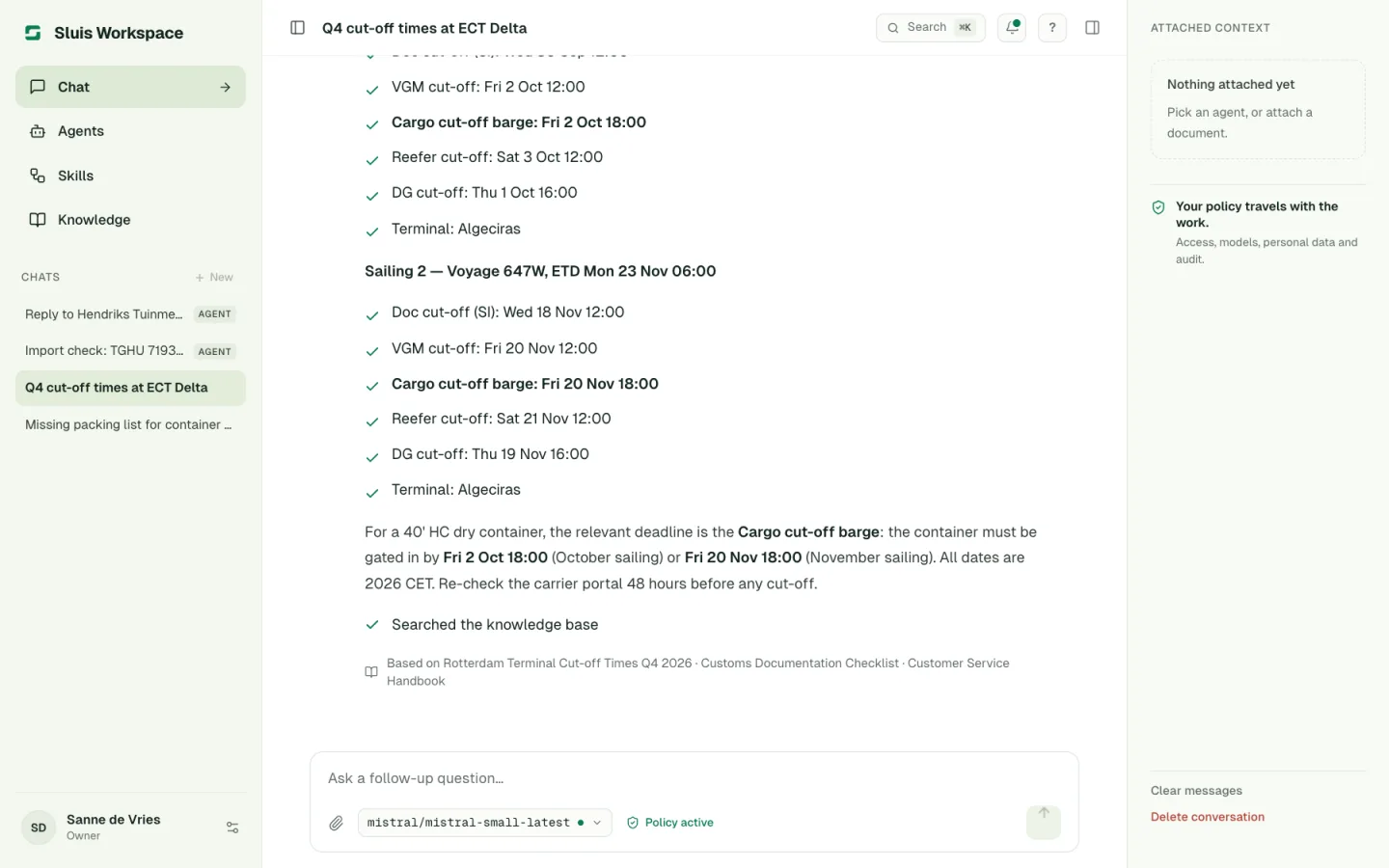
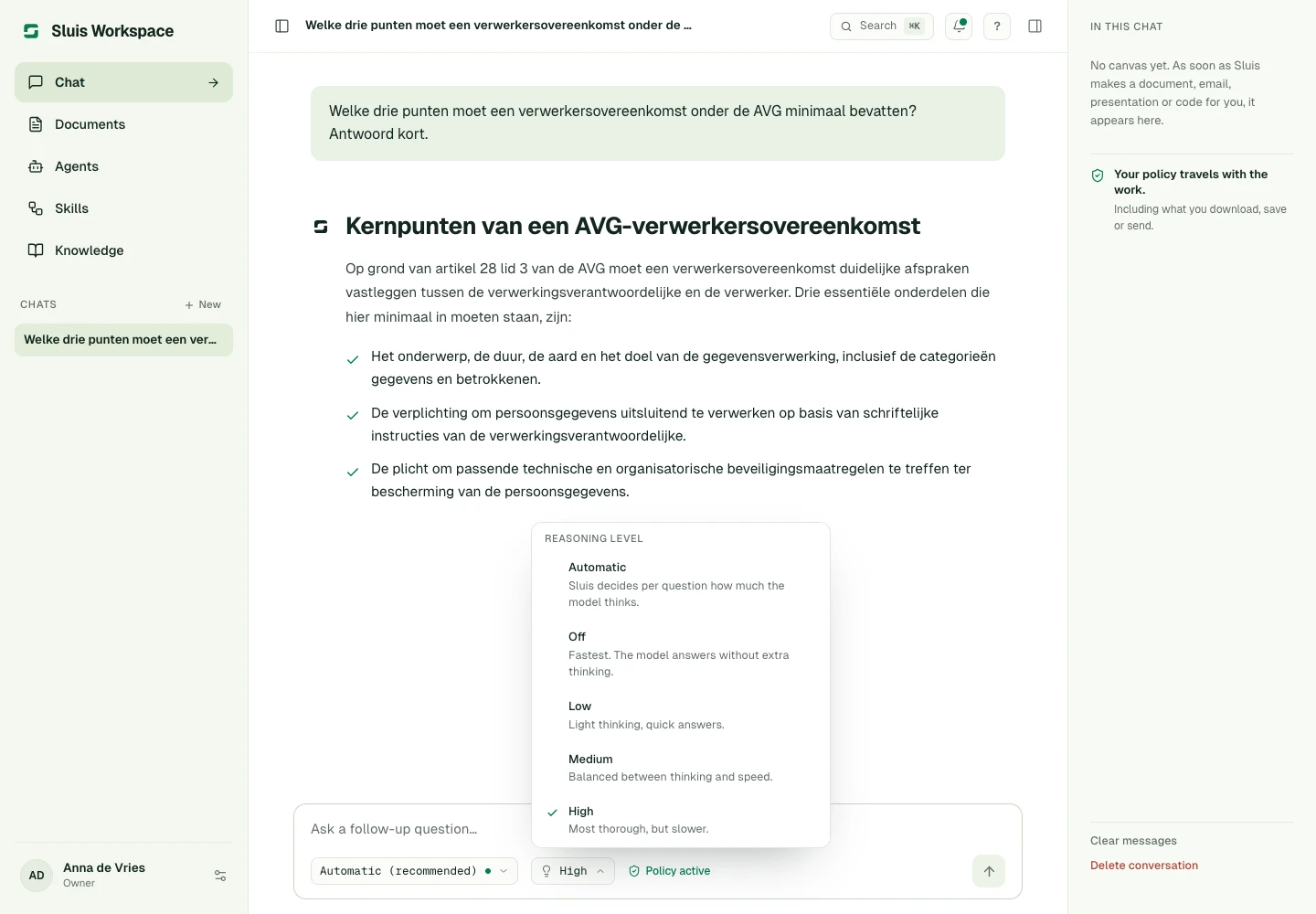
    Choose a reasoning level per chat

    Next to the model in the composer you can now set how much the model thinks before it answers: Off, Low, Medium or High. Off is fastest, High is most thorough. Each chat remembers its choice. Leave it on Automatic and Sluis decides per question, as before. The control is greyed out for models that cannot reason.
    Choose a reasoning level per chat
  • Fixed

    Image generation billed at list price

    OpenAI image models such as gpt-image-2 and gpt-image-2.5 were billed far above their list price. They now bill text and image tokens at OpenAI's own rates and appear in the model list. Where a request was overcharged, the audit log shows a price correction under it and the difference is credited to your spend and budgets.

  • Changed

    Fair pricing for models without a known price

    A model whose price we cannot yet confirm is billed at the typical price of the same provider's comparable models, never at the most expensive model we know. We are alerted at once and add its real price. We now also check prices against two independent sources after every update.

  • New

    Videos in the docs

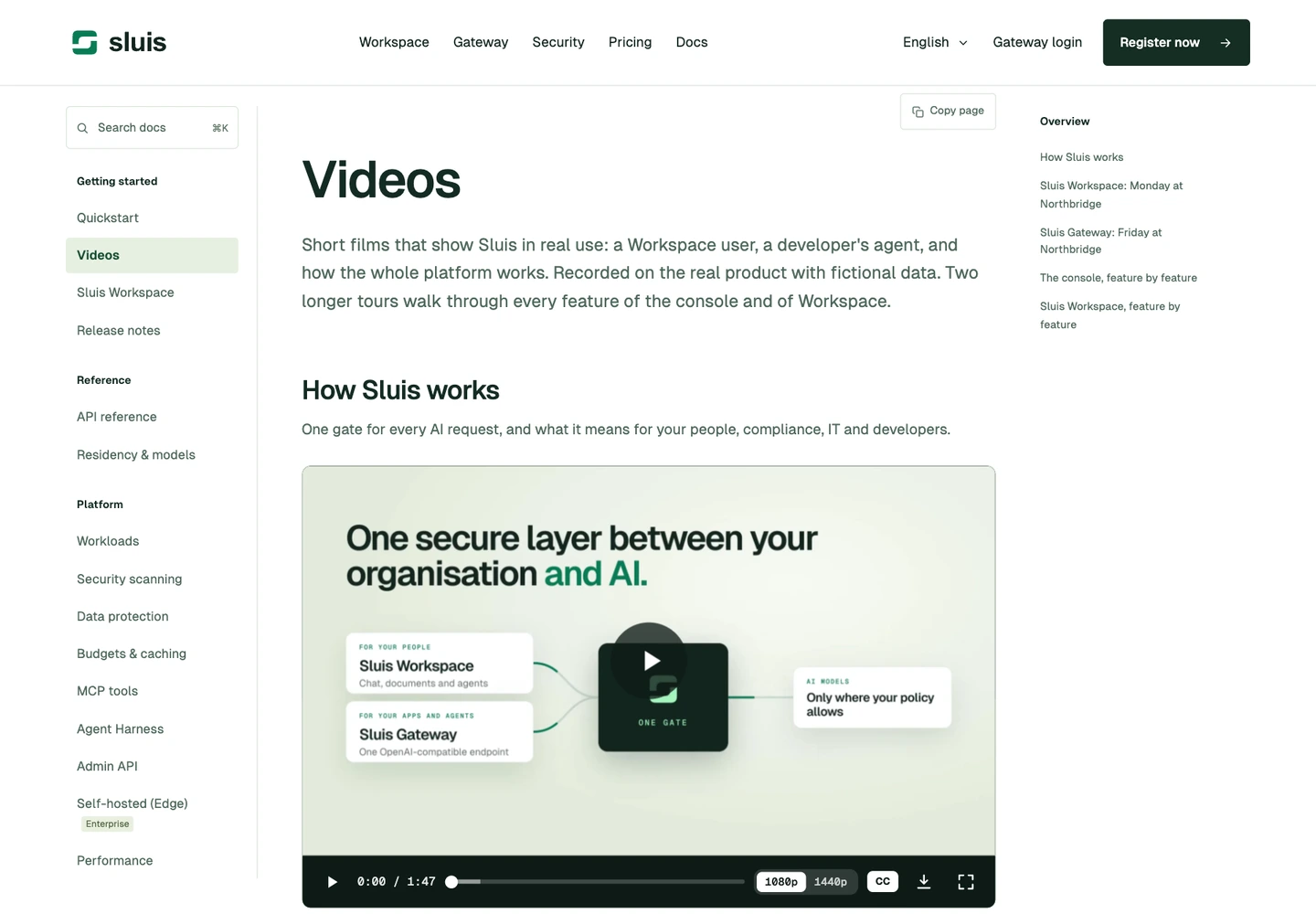
    A new Videos page in the docs shows Sluis in real use: how it works, a day with Workspace, an agent going live on Gateway, and full tours of the console and of Workspace. Every film has a voice-over and captions in your language, plays in 1080p or 1440p, and can be downloaded.
    Videos in the docs
  • Changed

    Privacy Policy updated: which Sluis apps you use

    Our Privacy Policy now says that Sluis records which app you open (web Console, web Workspace, macOS, Windows, Linux, iOS or Android), on which day, and its version. 7Lab uses this to support customers and improve Sluis, keeps it for 12 months, and deletes it with your organisation. It is not shared with anyone else. You are asked to accept the new policy once.

  • Improved

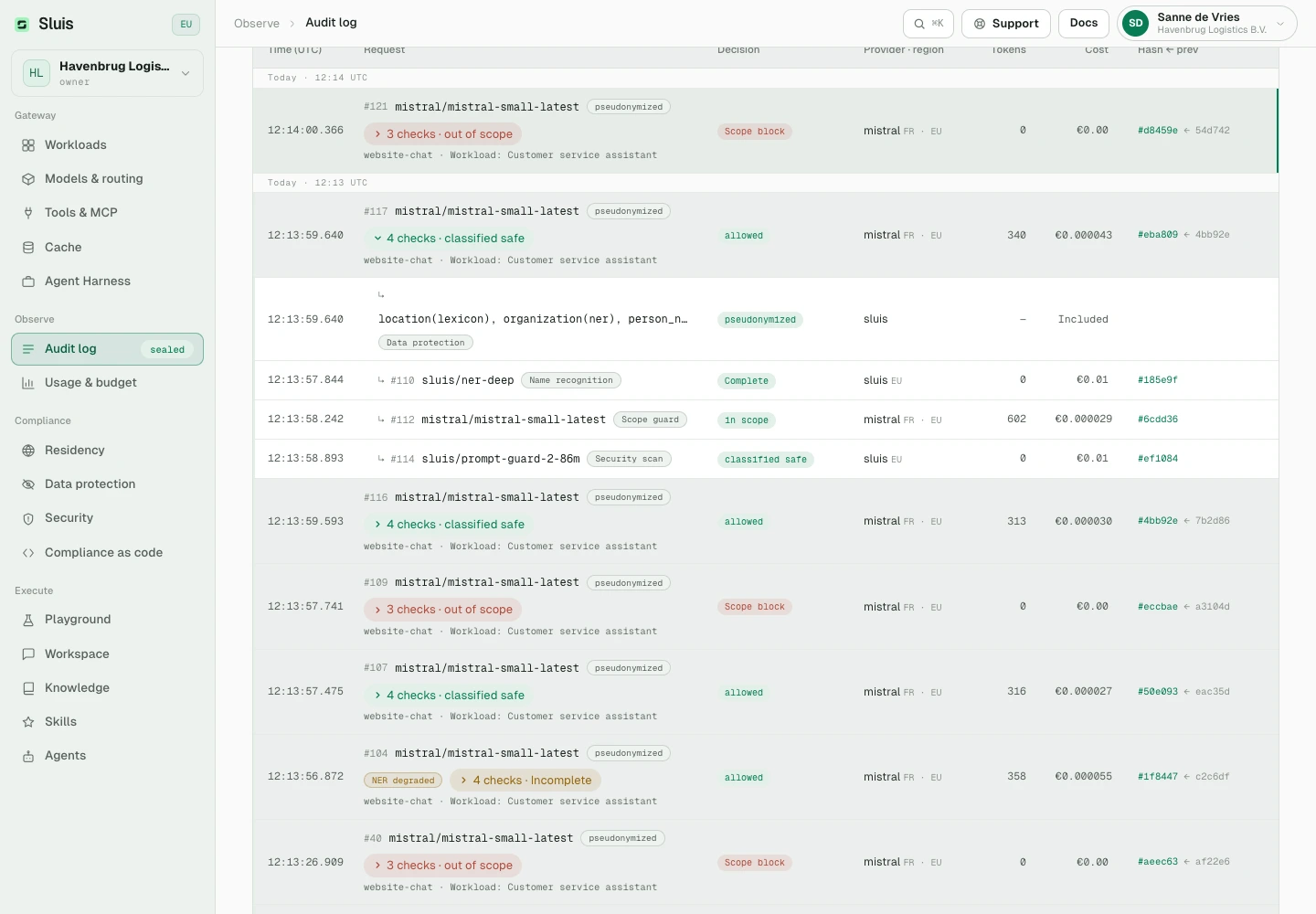
    Workspace filter in the audit log

    A new Workspace filter shows only the requests made from Workspace chats. The cost column is wider, so amounts below a cent are no longer cut off, and the page drops two banners that repeated information shown elsewhere.

  • Fixed

    Images follow your document inspection

    Images sent in a request now get the same checks as documents. With document inspection on, PNG and JPEG images are scanned, and personal details in them are masked or replaced according to your settings. With the block setting, an image that cannot be checked is refused; otherwise it is sent on and marked as unscanned in the audit log and in the response.

  • Fixed

    Cached answers show your own details

    With pseudonymisation and the answer cache on, an answer served from the cache could show a placeholder such as «EMAIL_1» instead of the detail you sent. Cached answers now show your own details, just like fresh ones.

  • Fixed

    Agency two-factor rules reach client organisations

    When an agency requires two-factor sign-in, its owners and admins now need it in the client organisations they manage as well, not only in the agency itself.

  • Changed

    A clearer Data Processing Agreement

    Version 8 of the Data Processing Agreement spells out who is responsible for account data, how long cached answers, Workspace chats and the names in them are kept, and that the mapping behind pseudonymized names is never stored outside Workspace. Owners and admins are asked to accept it once.
WorkspaceConsoleGatewayBilling

Leaner Workspace, clearer costs

Workspace features are on by default, requests carry only what they need, and the audit log shows cost per token type.

  • Changed

    Workspace features on by default

    Documents, Skills, Agents, Knowledge, Chat and the Agent Harness are now on for every organisation, including ones that had switched them off. Owners and admins can still switch each one off under Settings › Features. Compliance as code stays off until an owner turns it on.

  • Improved

    Faster, leaner Workspace answers

    Workspace now sends a model only what your request needs. A plain question or a poem carries the everyday tools; document tools come along when you ask for a document or the chat already has one, and your connected apps are loaded only when the assistant needs one. A simple request is now about a tenth of its former size, so answers start sooner and cost fewer tokens. Every permission check still applies.

  • New

    Cost per token type in the audit log

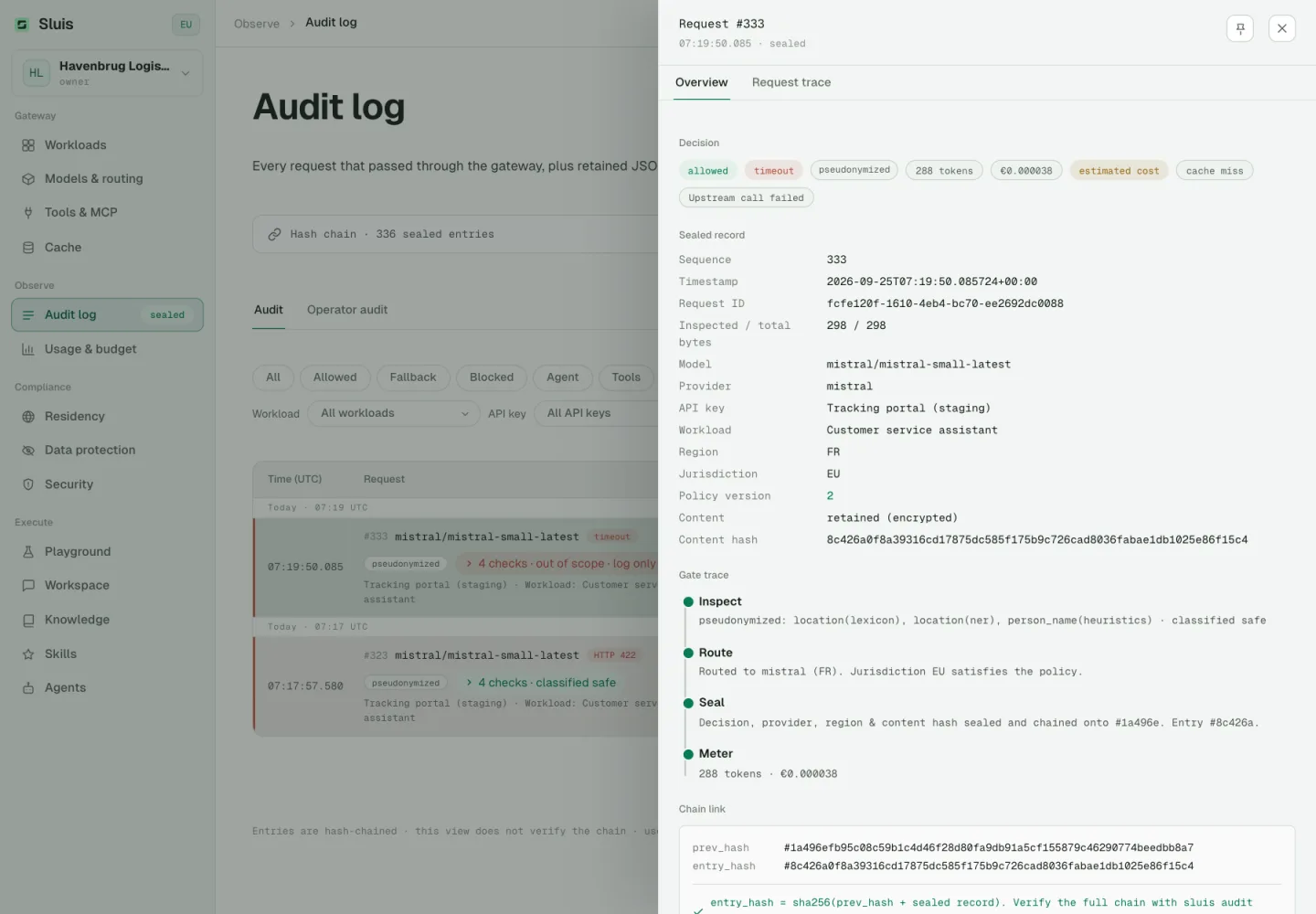
    Open a request in the audit log to see input, cached input, cache writes and output separately: tokens, price per million and cost for each, plus any other usage and the total. Requests from before this release show tokens and the total only.

  • Fixed

    Emails readable in dark mode

    Emails from Sluis no longer show white text on white in mail apps that use a dark theme, such as Apple Mail, Outlook and the Gmail app.

  • Changed

    System One hosted by Sluis

    System One now appears in the model overview as a Sluis-hosted model in the EU. Its decisions are billed at EUR 0.01 per million input tokens, with output free, instead of a flat fee per call.

  • New

    Call the router behind sluis/auto

    You can now call the same router Sluis uses for sluis/auto. Send a request's text to sluis/typed/router and you get back whether it needs step by step reasoning, how demanding it is, what kind of work it is, and the route sluis/auto would pick for that text. It runs on Sluis infrastructure with your data protection settings, and existing callers keep the answer they already read.

GatewayWorkspaceAppsConsoleSecurityBilling

Faster, steadier, no dropped connections

Requests, data protection and the Workspace are faster, and updates to Sluis no longer cut off answers that are still streaming. The privacy policy now states how long your organisation's content is kept and which VAT details we check.

  • New

    Canvas and Documents

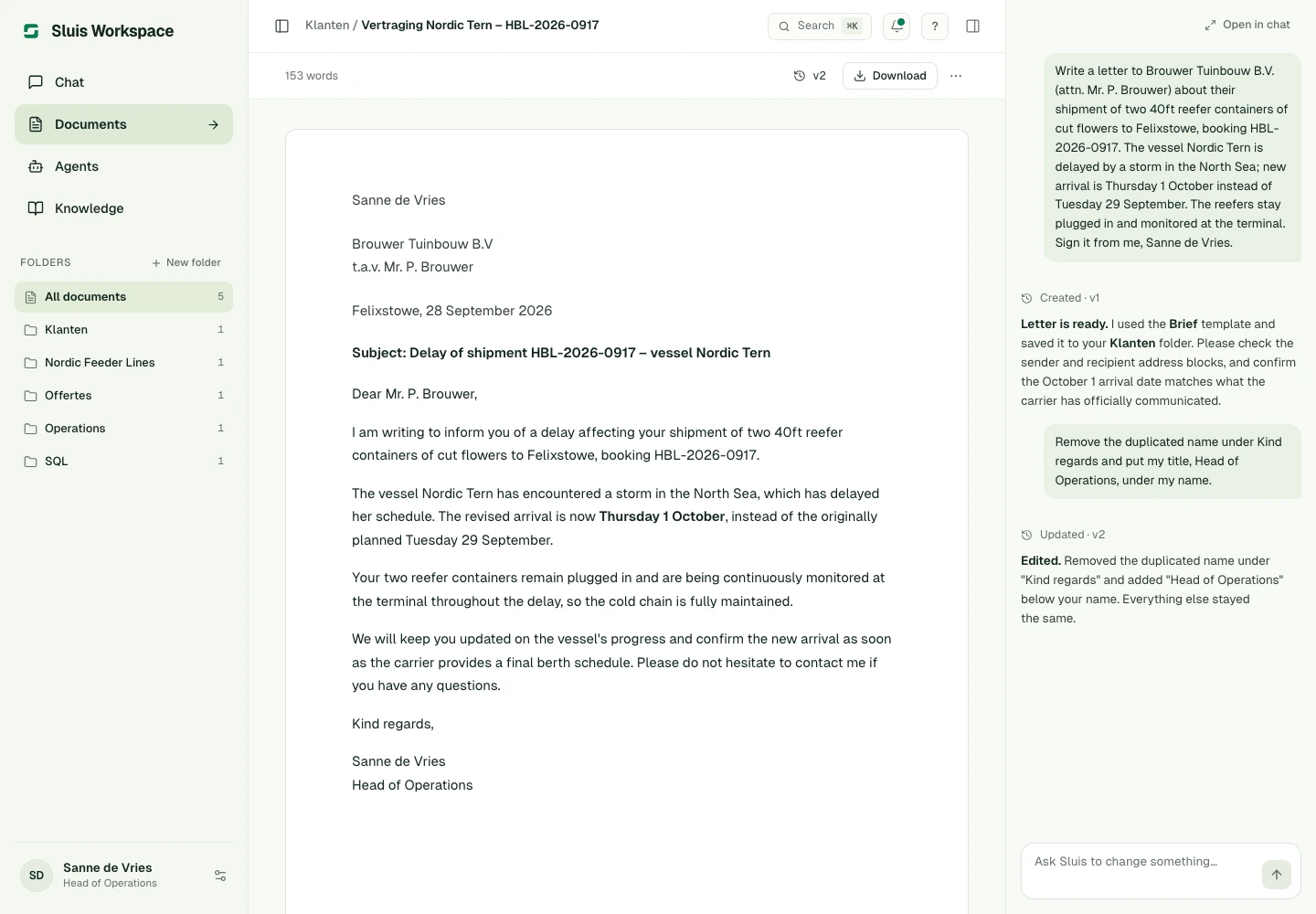
    Letters, emails, slides and code now open in a canvas in the chat that you and the model both edit. Every change is a version you can restore, and each canvas is saved in your Documents, where you open it with its chat beside it. Download it as PDF, Word, PowerPoint, Markdown, text or an email file, or send an email from your own mail program. Templates and house styles keep your documents consistent; owners and admins manage the organisation's in the console. It is on for every organisation; owners and admins can switch Documents off in the console under Settings › Features.

    Canvas and Documents
  • Fixed

    Inspection no longer fails on an idle connection

    Requests whose policy requires name detection or prompt injection inspection were now and then refused after a quiet moment, because an internal connection had closed. They are now inspected as normal. The gateway also no longer pauses when it briefly needs more processing power.

  • Improved

    Faster data protection

    Finding personal data in a request takes a fraction of the time it did, most of all for text in European languages and for follow-up messages. What is detected has not changed.

  • Improved

    Long answers stay connected

    While a model thinks before it answers, streamed API responses now carry a small keep-alive signal every 15 seconds, so proxies and load balancers in your network no longer close the connection early. Your SSE client ignores it.

  • Fixed

    Updates no longer cut answers short

    When we update Sluis, answers already streaming keep running for up to five minutes, and one that runs longer ends with a clear error you can retry instead of stopping silently. Workspace and the console reconnect on their own right away, and a chat that was busy when a server failed no longer stays busy.

  • Improved

    Less waiting before each request

    Rate limits and budgets are now checked in a single step, and account and billing details are refreshed in the background, so busy workloads see steadier response times. Console reports can no longer slow down live traffic.

  • Improved

    Workspace updates at once

    An open conversation now shows a new title, status or sharing change as soon as it happens, and Stop ends a running answer faster.

  • Fixed

    A brief outage no longer rejects valid API keys

    When the gateway briefly cannot check a key, it now answers 503 auth_unavailable with Retry-After instead of 401, so SDKs retry instead of treating your key as invalid.

  • Improved

    Faster usage, audit and credit figures

    The usage page, the audit log, API key activity, workload spend and your prepaid balance no longer read your whole history on every visit. The figures are unchanged.

  • New

    Cursor paging for audit, traces and operator audit

    The audit, traces and operator audit endpoints return a next_cursor. Pass it back as cursor to fetch the next page at the same speed however deep you go. Offset paging keeps working.

  • Improved

    Knowledge uploads process in the background

    A document you add to Knowledge appears at once as Processing and becomes searchable when it is ready. If it cannot be processed, it is marked as failed.

  • Improved

    Quicker answers from agents with tools

    Workspace now runs several web searches at the same time within one answer, and connects to your MCP servers in parallel at the start of a turn. Results still appear in the order the agent asked for them.

  • Changed

    Retention and VAT checks in the privacy policy

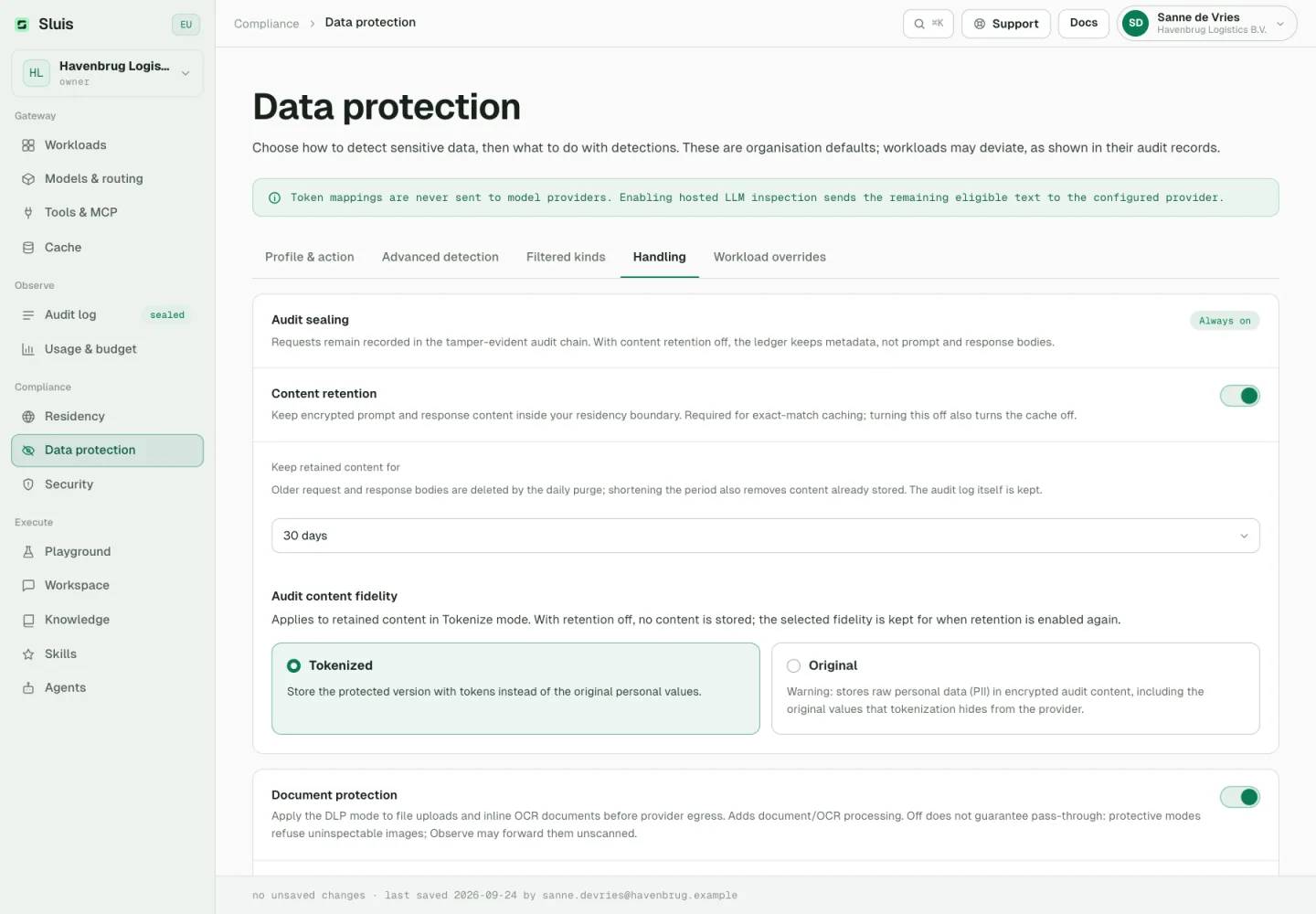
    Retained prompts and responses are kept for 30 days by default, and your organisation can change that. In Workspace, personal details in chats become placeholders after 7 days by default, and chats are kept as long as your organisation chooses. A daily cleanup enforces these periods. The policy also names the VAT details we use for invoices, including the check in the EU VIES system for VAT numbers outside the Netherlands. You accept it once more on your next console visit.

  • Changed

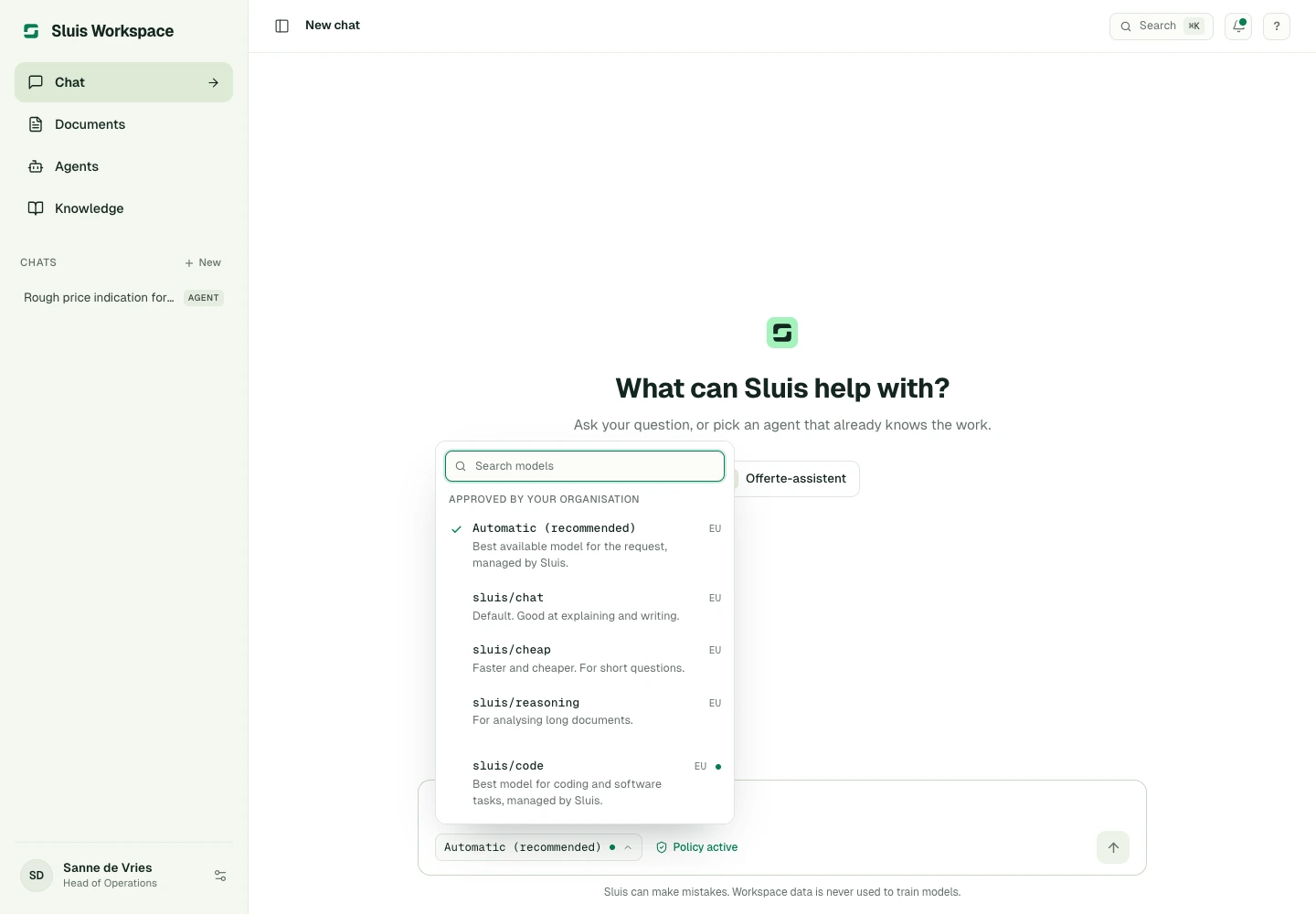
    New chats start on Automatic

    When your organisation has not set a default model, a new Workspace chat starts on Automatic, which picks a suitable model your policy allows. A default set by an administrator still comes first, and scheduled agent runs follow the same order. Automatic leads the model picker, which still hides models your policy refuses.

    New chats start on Automatic
  • Fixed

    Real regions for managed models

    The model picker now shows where the model behind Automatic and the other managed routes actually processes data, instead of always showing EU.

  • New

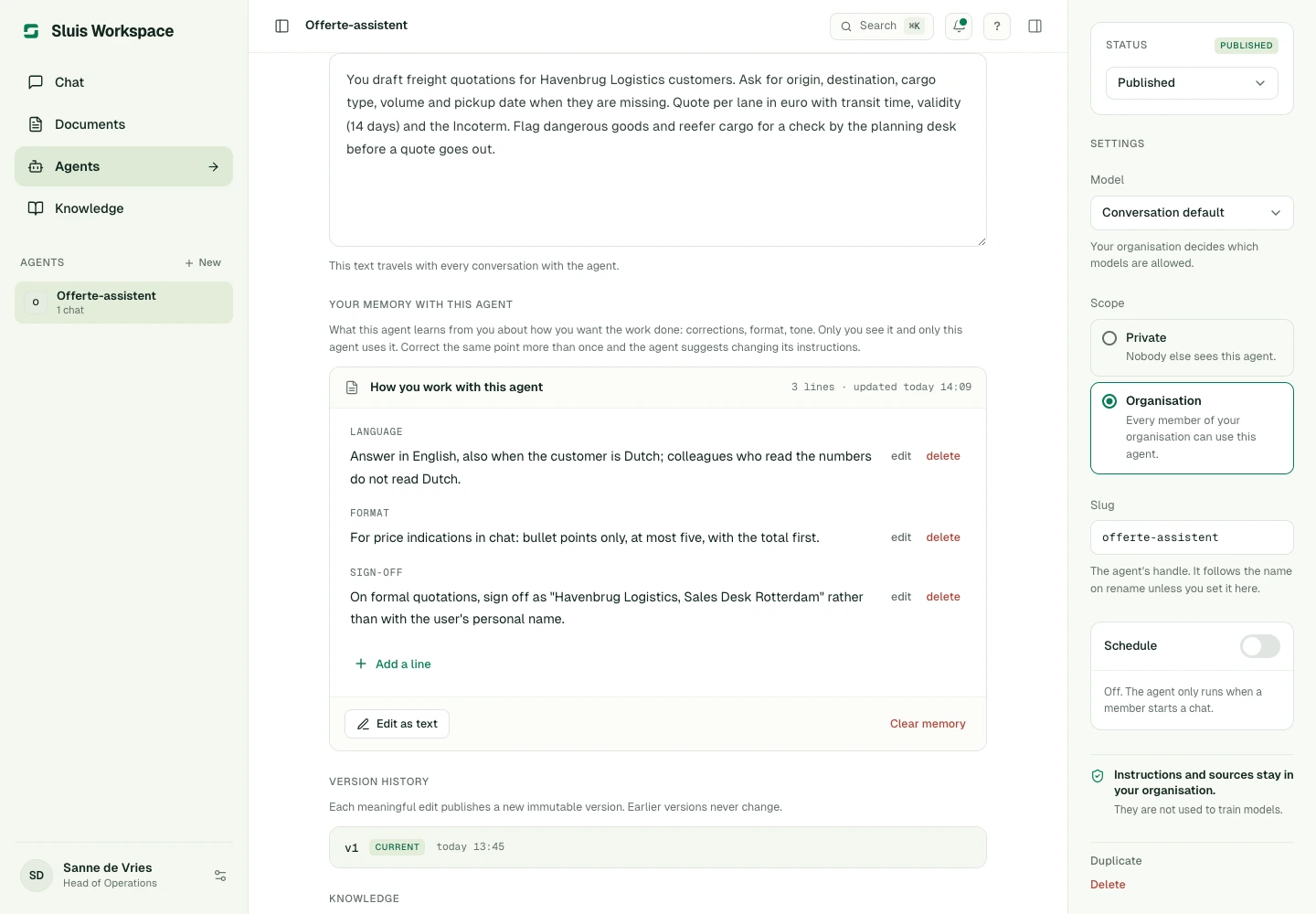
    Agents remember how you like to work

    When you correct a Workspace agent, it now remembers the correction for you and brings it into your later chats with that agent. Other members keep their own notes for the same agent. If you correct the same point again, the agent offers to change its instructions, or tells you an administrator can. You can view and edit what an agent remembers about you on its page, and your memory settings apply to it.

    Agents remember how you like to work
  • Improved

    Memory keeps itself tidy

    When Workspace remembers something new, points that say the same thing are merged and a point the new one makes untrue is removed, so your memory never lists a wish twice or both ways. What you type yourself in your memory settings is kept as written.

  • Improved

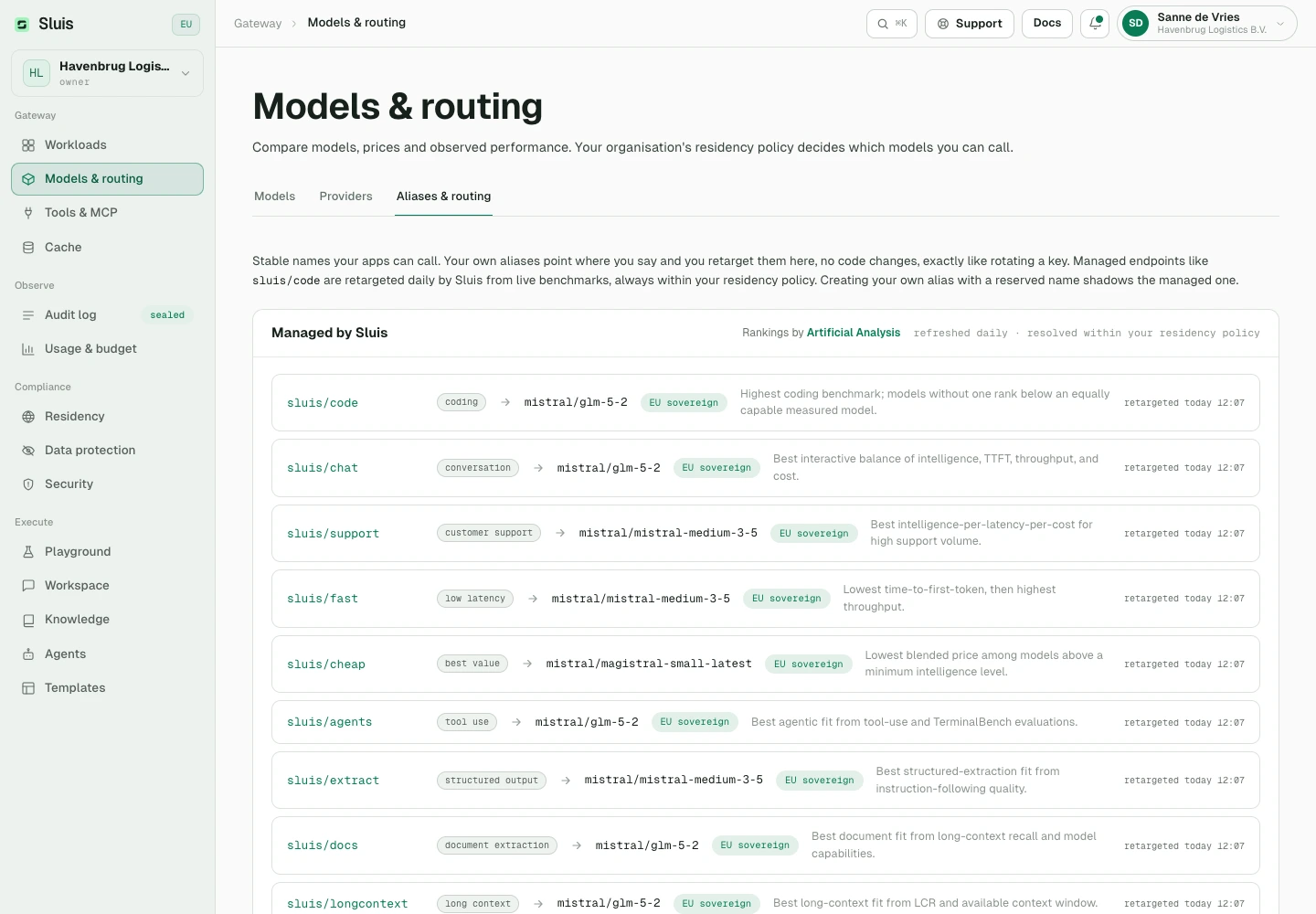
    Managed aliases rank every model you may use

    Each sluis/* alias now orders every model that fits its job, using benchmark results, price and the speed and uptime we measure ourselves. When your residency policy rules out the first choice, the alias uses the best model your policy allows. Among providers that serve the same model, EU-owned providers come first, then the healthiest, fastest and cheapest. The rankings in our public model catalog (catalog.json) now follow the same order.

    Managed aliases rank every model you may use
  • Improved

    Better model picks for each task

    Each managed sluis/* alias now compares every model with all other models on the market. A model without a benchmark for the task ranks below an equally capable model that was measured. Fast, cheap and support tasks only use models that clear a minimum quality level, and a model released more than 18 months before the same maker's newest available model is skipped.

  • Fixed

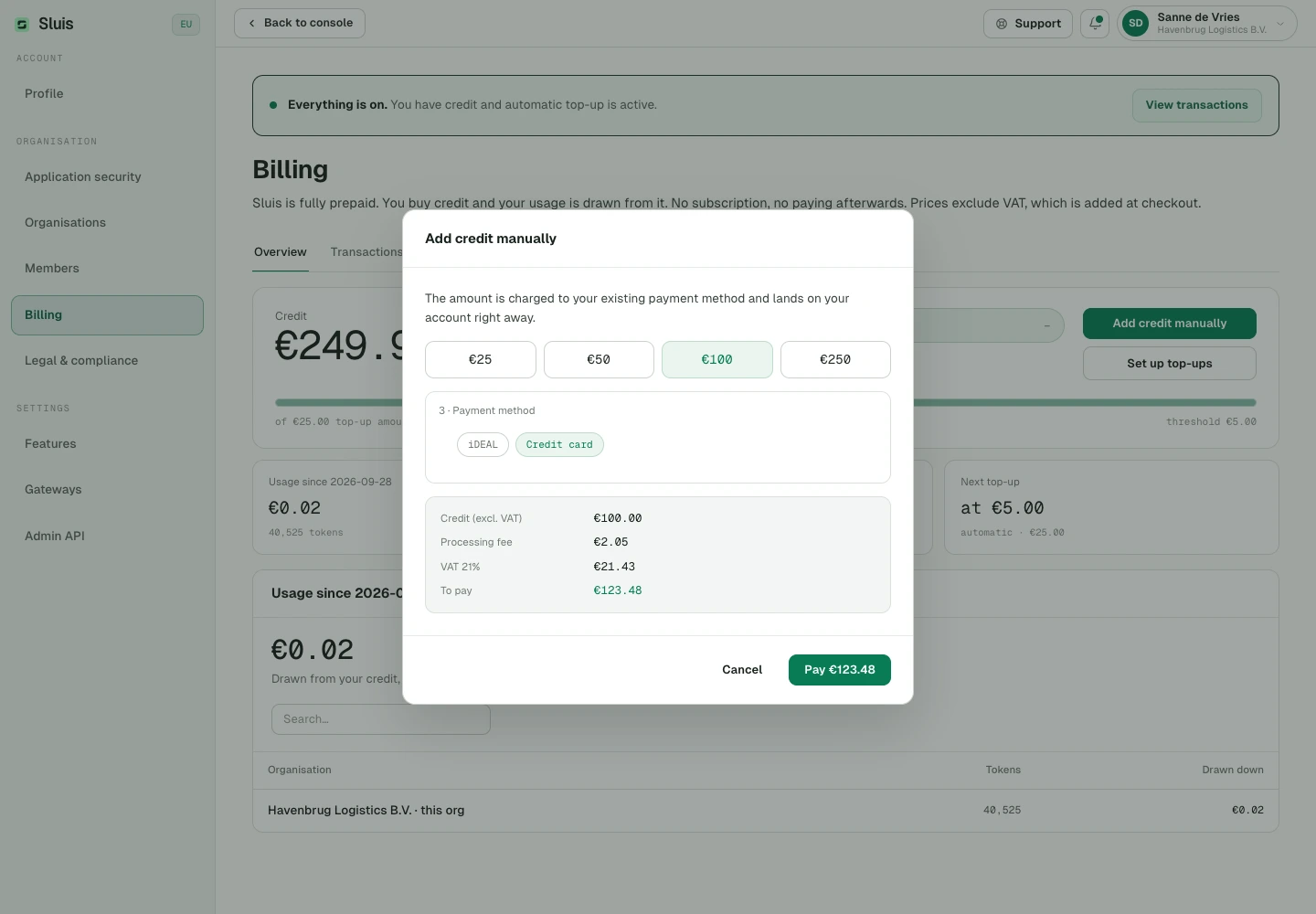
    The checkout total includes VAT

    Prices exclude VAT. When you buy credit or set up automatic top-up, the console now lists the credit excluding VAT, the processing fee, the VAT at your rate and the total you pay. Before, the Pay button showed the total without VAT while the payment included it. Your transactions show the credit you bought, with the VAT next to the fee.

    The checkout total includes VAT
  • Changed

    Calls interrupted after sending are billed

    When a connection closes, a Workspace turn ends early or a call fails unexpectedly after the model provider received the request, the audit log now bills an estimate: the prompt plus any output already streamed, or the images requested. It is marked as estimated and counts once against budgets, prepaid credit and member caps. Calls that end before they are sent still cost nothing.

  • Removed

    Agent Word and PowerPoint templates

    Agents no longer take an uploaded Word or PowerPoint template for the documents they create.

  • Improved

    Version 0.3.1 on every platform

    Sluis Workspace 0.3.1 is out for Mac, Windows, Linux, iPhone, iPad and Android. The store versions arrive as Apple and Google approve them.

  • Fixed

    Workspace fits phones and narrow windows

    On a phone, the agent cards on a new chat stay within the screen. In mid-sized windows, search, the composer and the side column are no longer cut off.

  • Changed

    The desktop sign-in window only signs you in

    The window the desktop app opens to sign in with Apple, Google, Microsoft or a passkey no longer offers to create a new account. Your administrator gives you access.

  • Improved

    sluis/auto picks the right model faster

    Sluis now reads each request itself, in all seven languages, and sends code, translations, extraction, support replies and hard reasoning to a model suited for the job. The choice takes a fraction of a second and no text leaves Sluis to make it.

  • Improved

    A clear retry instead of lost work under heavy load

    When Sluis is very busy, it now asks your client to try again, with a Retry-After header that says when, instead of taking on a request it cannot fully record. Every request Sluis answers lands in your audit log and usage, also at peak load. Structured decisions on sluis/typed answer the same way when the local engine is busy.

WorkspaceGatewayConsoleAppsBillingSecurity

Sluis Workspace, redesigned

A redesigned Workspace, new ways to sign in securely, retention you choose, and more control over MCP tools, workloads and the audit log.

  • New

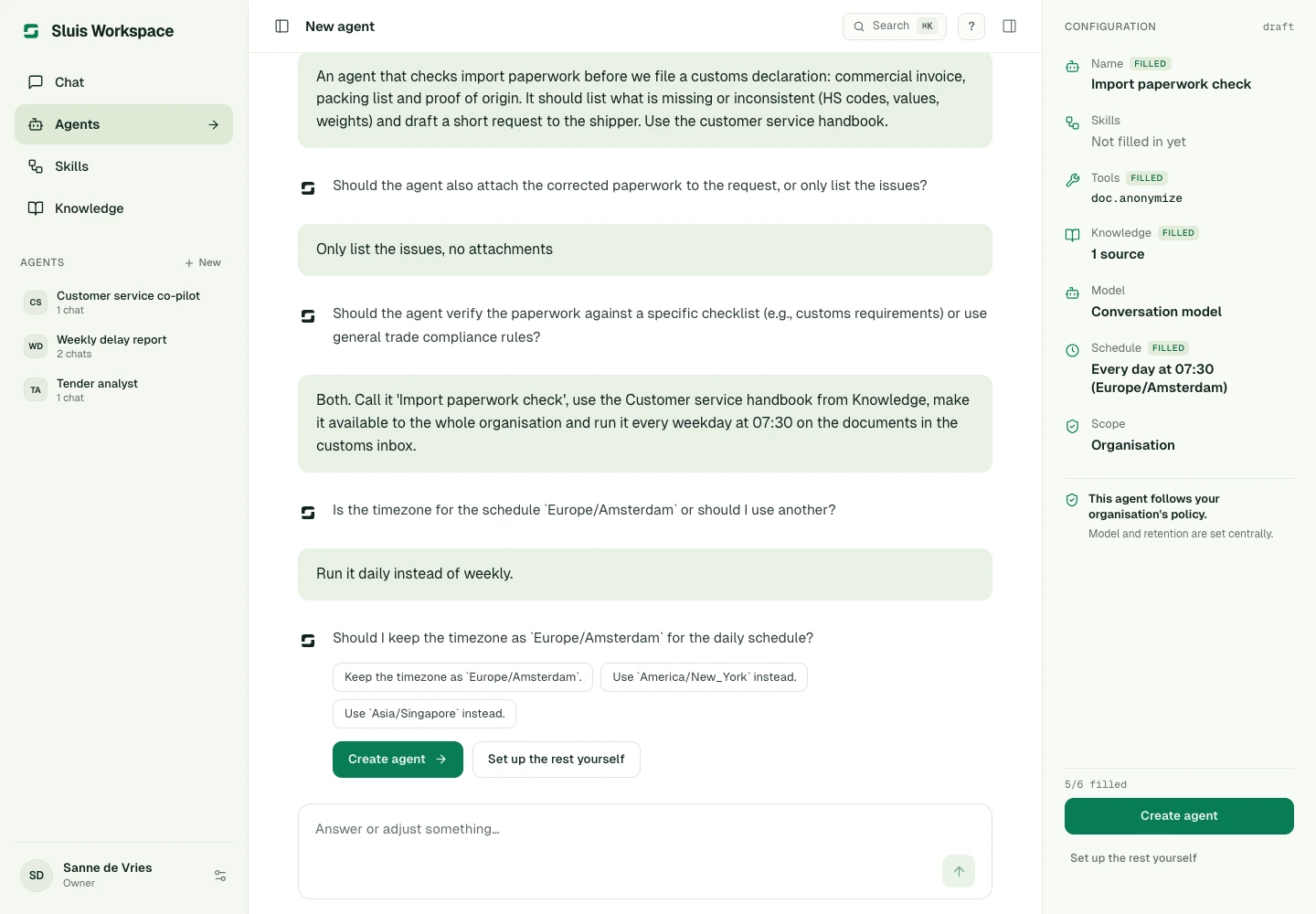
    A redesigned Sluis Workspace

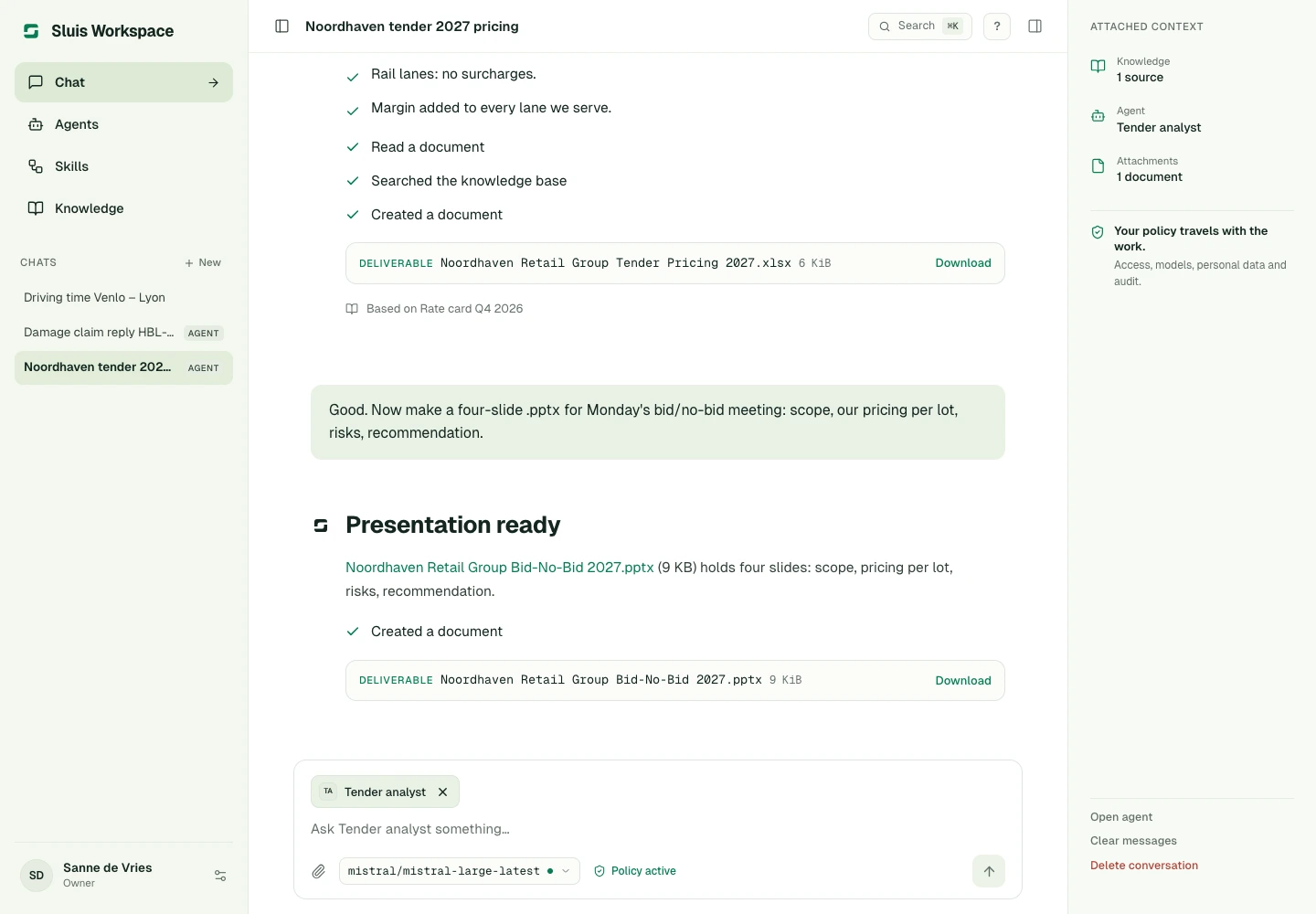
    Build agents and Skills by describing them in chat, and change them later the same way. Workspace can remember what you share, saves your work as you go, starts a fresh chat when you open Chat and lets you stop an answer while it runs.

    A redesigned Sluis Workspace
  • New

    Spreadsheets and presentations

    Upload spreadsheets and presentations in chat and Knowledge, and have agents create new ones for you.

    Spreadsheets and presentations
  • New

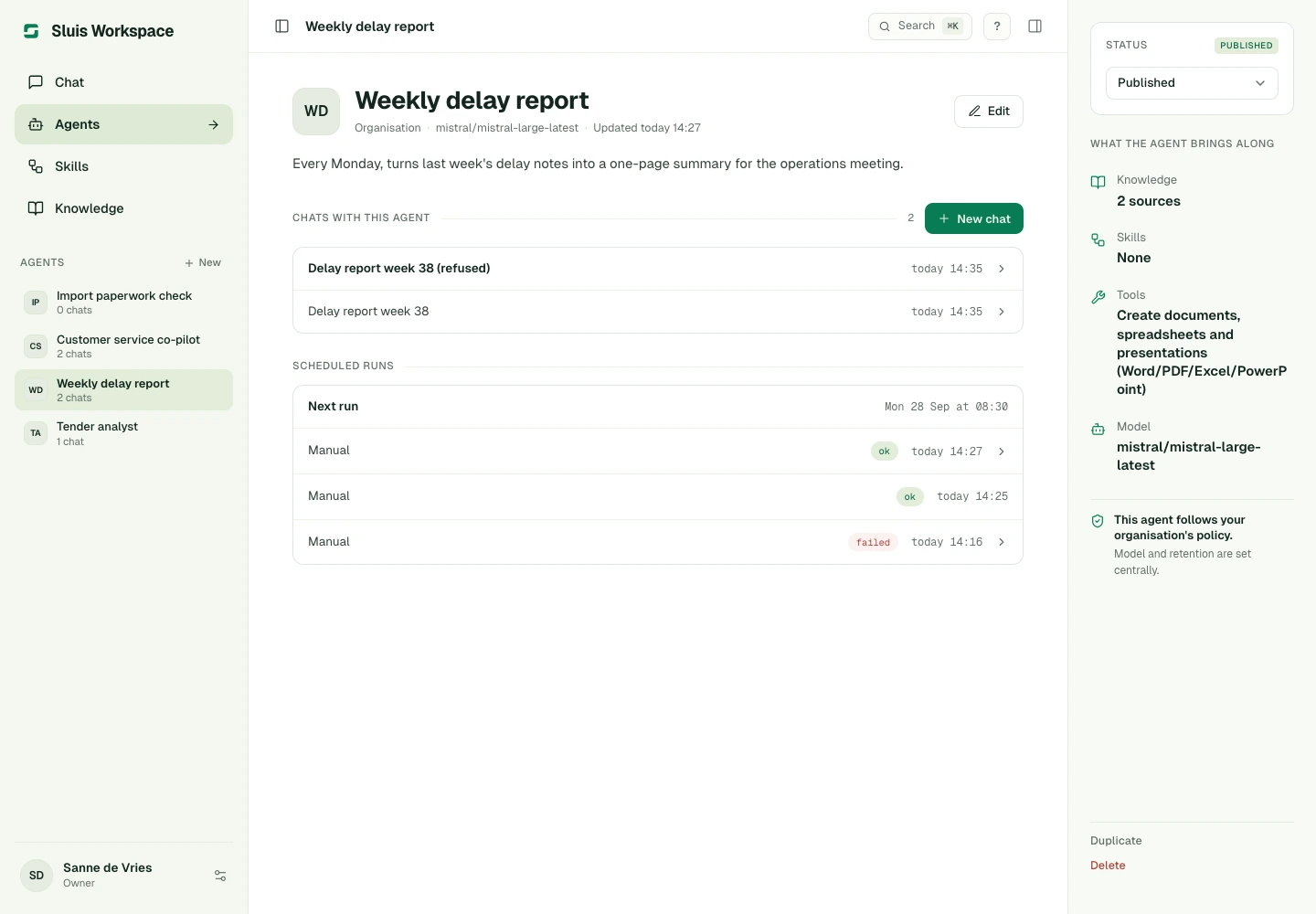
    Scheduled agents and sub-agents

    An agent you create in chat can be scheduled straight away, as often as every 15 minutes. Agents can hand work to sub-agents, which administrators control for the organisation.

    Scheduled agents and sub-agents
  • New

    Continue with Microsoft

    Sign in with your Microsoft work or school account, next to Google and Apple.

  • New

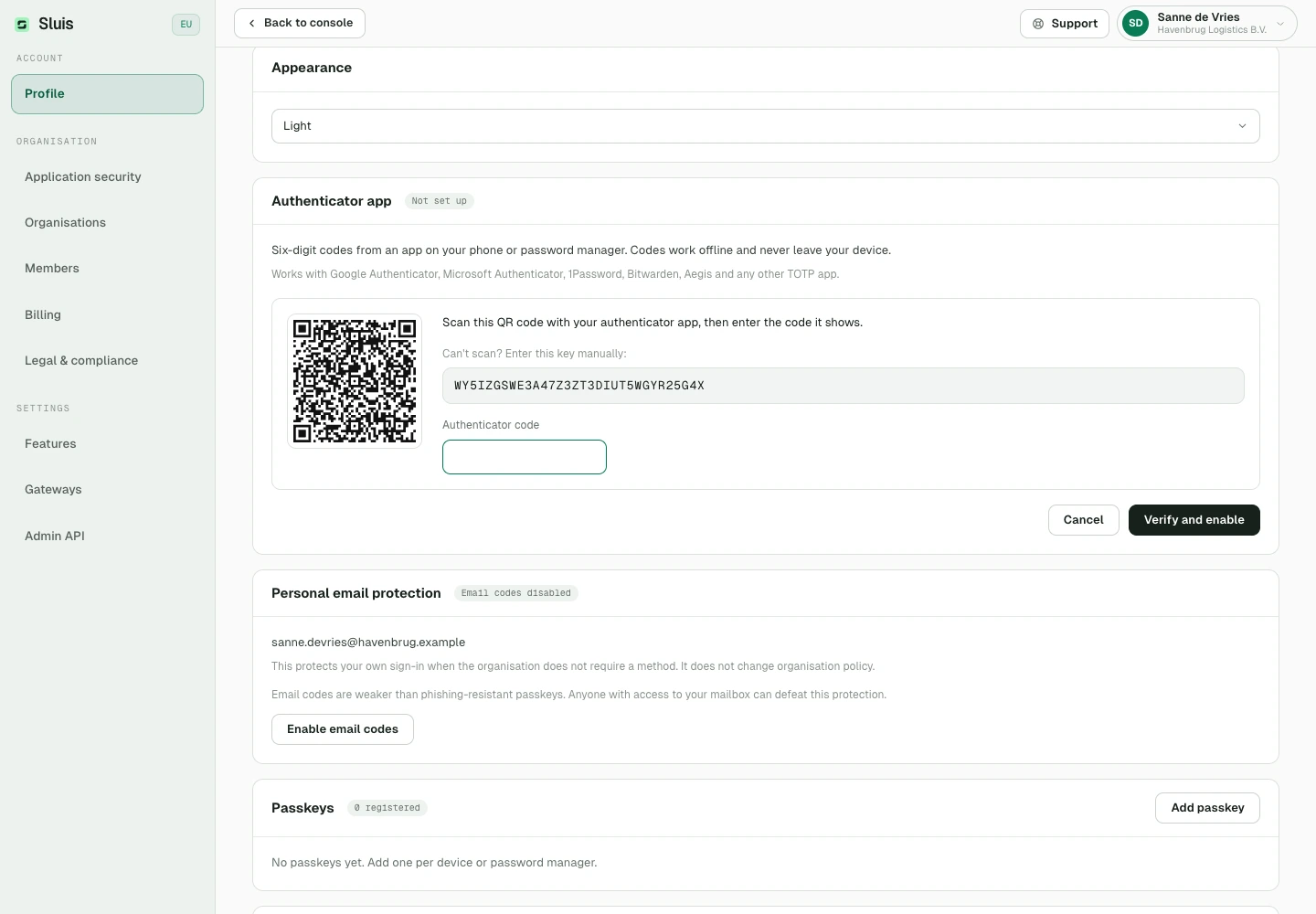
    Two-factor with an authenticator app

    Use an app such as Google Authenticator or 1Password as your second factor, and require it for the whole organisation if you like.

    Two-factor with an authenticator app
  • New

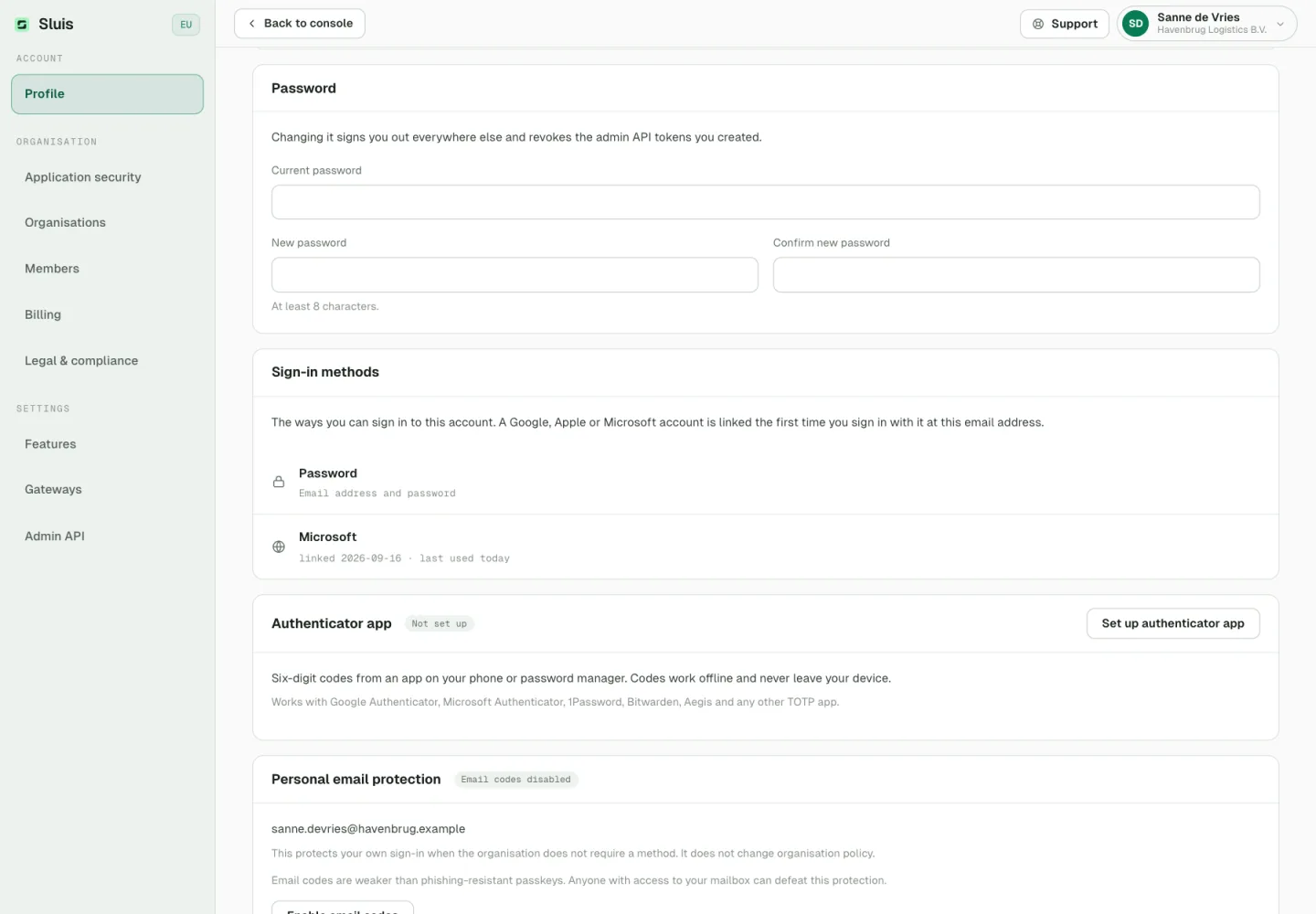
    Your sign-in methods and password

    Profile lists every way you sign in and when each was last used, and signing in with Google, Apple or Microsoft no longer replaces another one. You can change your password there too, which signs you out everywhere else.

    Your sign-in methods and password
  • New

    Choose how long data is kept

    Set how long request content is kept under Data protection, 30 days by default, and how long personal details in chats and whole conversations are kept in Workspace settings. New periods also apply to what is already stored.

    Choose how long data is kept
  • New

    MCP tools with your own account

    Members connect MCP tools with their own sign-in, and can request a private server that an administrator approves.

  • New

    Decide what MCP servers may see

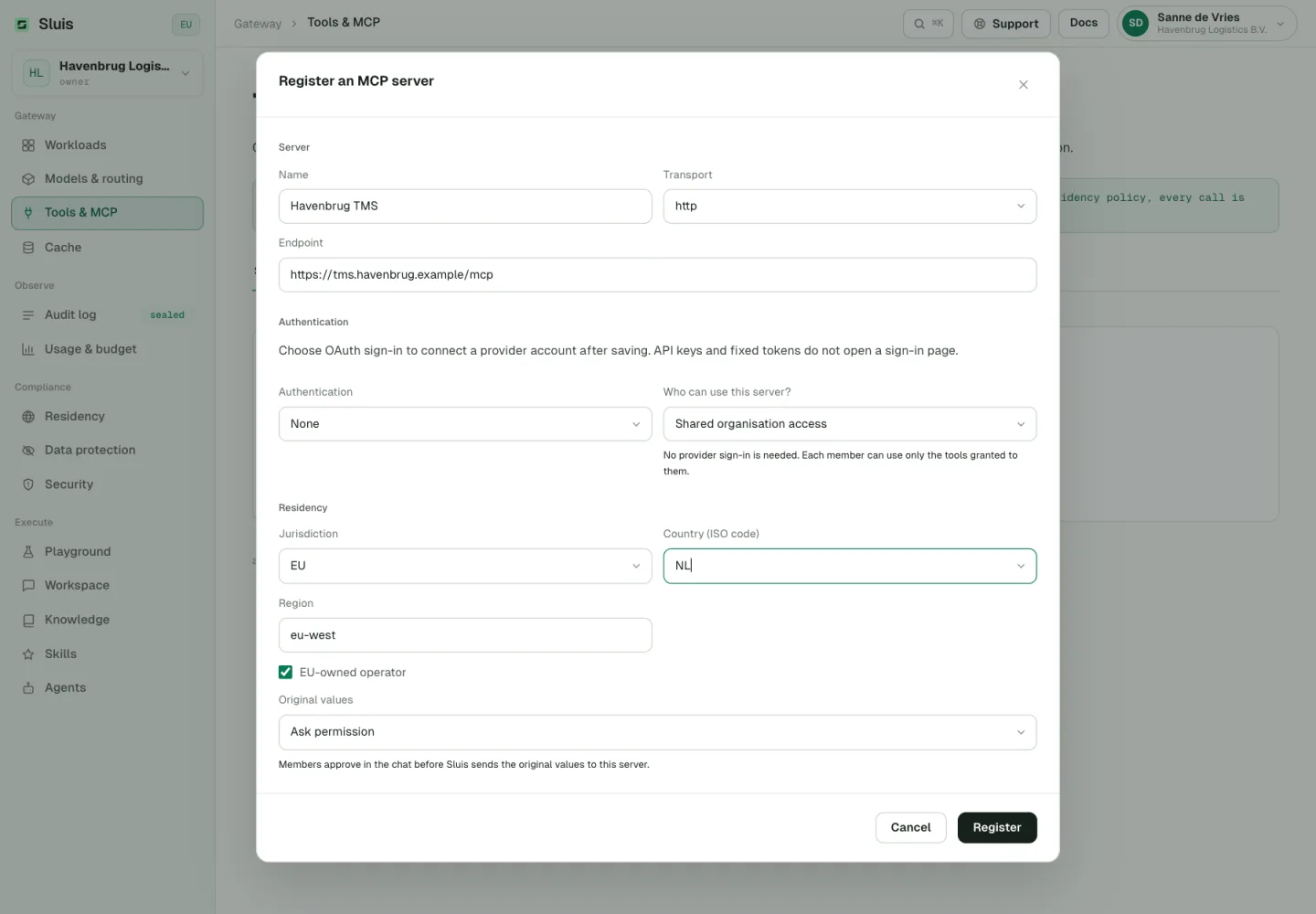
    Mark each MCP server as trusted, ask permission or not trusted. A trusted server receives the real values behind masked details in tool calls; with ask permission, members approve that in the chat first. The AI model still sees only placeholders, and servers you already had stay not trusted until you change them.

    Decide what MCP servers may see
  • New

    Connect MCP clients by signing in

    MCP clients reach your Sluis agents once you sign in and approve, with no key to copy. Revoke a connected client at any time.

  • New

    Scope guard and answer timeout per workload

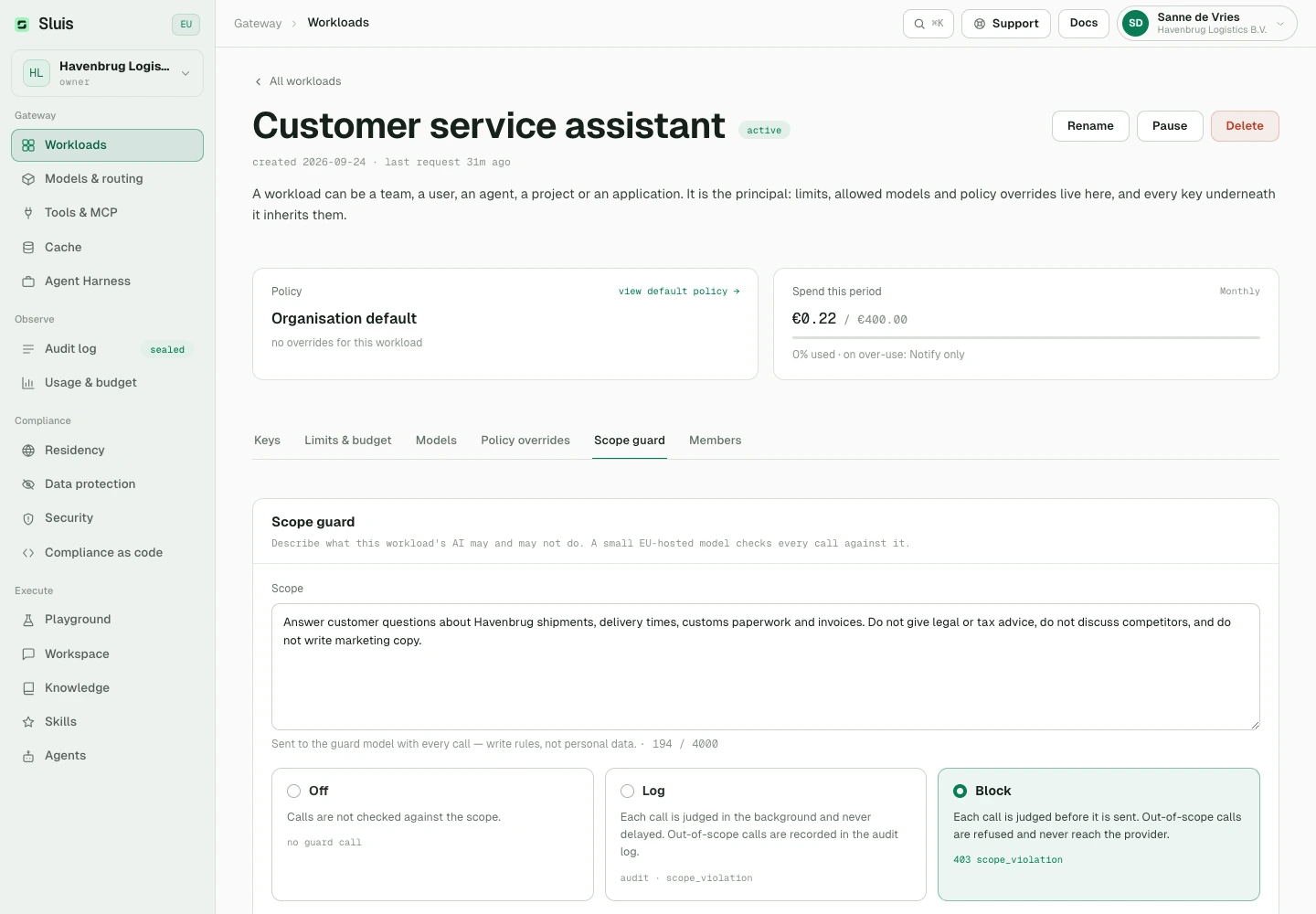
    Describe what a workload is for; a small model checks each request against it and blocks or logs what falls outside. You also set how long it waits for a provider’s answer.

    Scope guard and answer timeout per workload
  • New

    Follow requests live in the audit log

    Watch a request move through inspection, sending and the streamed answer, including any retries, until it is sealed. The Failed filter shows calls that went wrong and why.

    Follow requests live in the audit log
  • New

    Sluis Workspace 0.3.0 apps

    The iPhone, iPad, Android, Mac, Windows and Linux apps are now called Sluis Workspace and bring the redesigned Workspace. On iPhone, iPad and Android you can sign in with Apple, Google or Microsoft right in the app.

  • New

    A notification when your answer is ready

    The apps for iPhone, iPad, Android and Mac tell you when an answer finishes while you are away. The notification shows the conversation name and nothing else, and signing out stops notifications for that account on the device. With notifications on, an answer keeps running after you close the app, so the notification still arrives.

  • New

    Cookie choices on sluis.ai

    Our website loads analytics only after you accept, and Cookie settings in the footer lets you change your mind at any time. The updated privacy policy explains this; you accept it once more on your next console visit.

    Cookie choices on sluis.ai
  • New

    Practical guides

    Five guides for the people who sign off on AI, from the AI Act to personal data in prompts, at sluis.ai/guides.

  • New

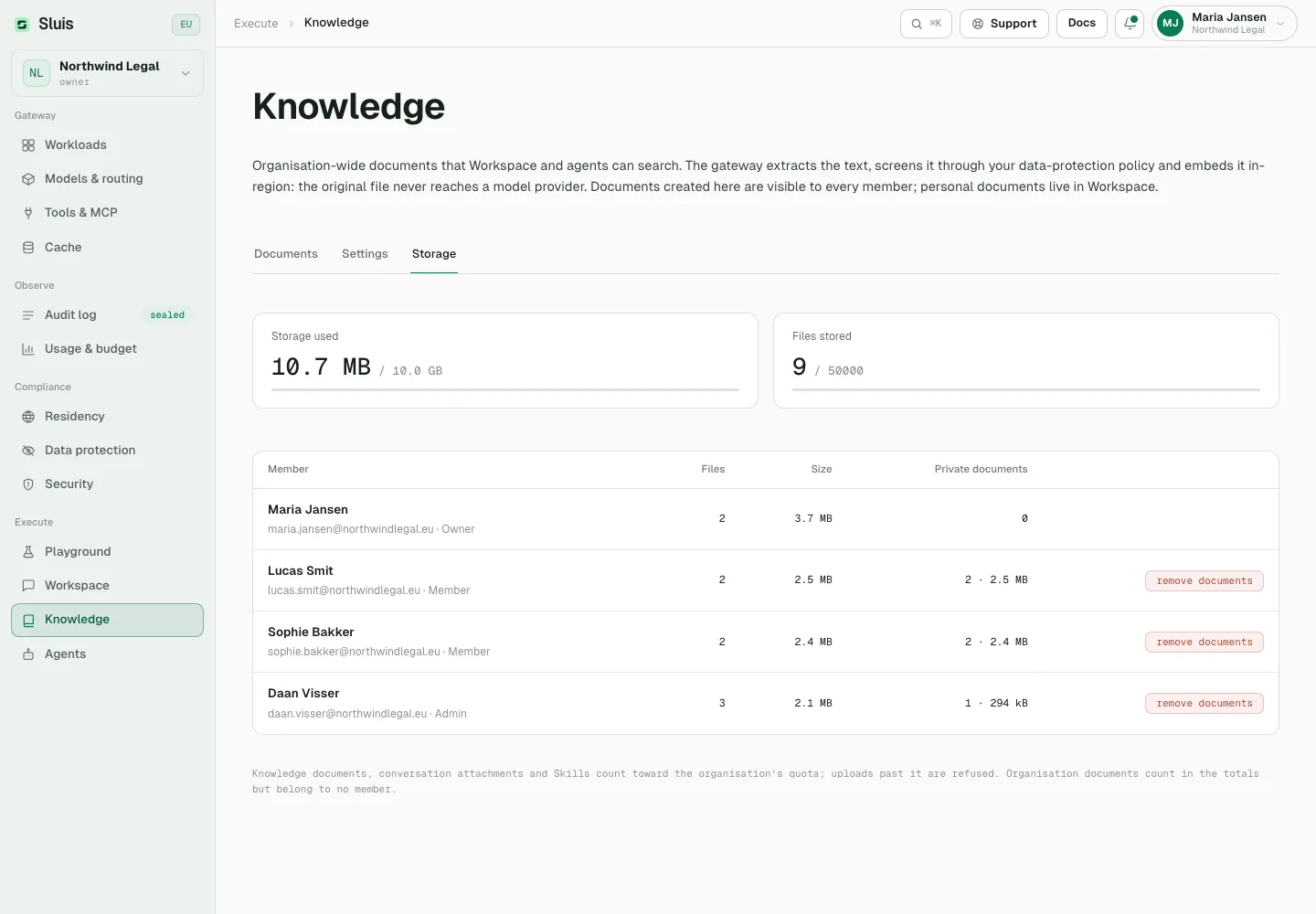
    Workspace storage overview

    Owners and administrators see how much storage the organisation uses for documents, attachments and Skills, per member, and can remove a member’s private documents. Each organisation has a storage limit.

    Workspace storage overview
  • New

    Typed decisions answered in Sluis

    The sluis/typed model now answers your own yes/no, scale and choice questions on Sluis infrastructure, with no outside provider, so it works under the default EU-only policy. TypeSafe stays available as a provider with your own key.

  • New

    A bell for what’s new

    A bell at the top right of the console and Workspace shows a dot when there is a new release and opens these release notes in your language.

    A bell for what’s new
  • Improved

    An audit log grouped per request

    Every step of a request sits together, including each data protection check and every tool call next to its result.

    An audit log grouped per request
  • Improved

    Stronger redaction

    Signed, handwritten and filled-in scans are redacted properly, and name recognition covers up to 100,000 names per request. Web search results reach the model as published.

  • Improved

    Release notes and a friendlier website

    These release notes are new, in seven languages. A broken link now suggests where to go next, an API address opened in a browser takes you to the developer docs, and the pricing calculator compares €5, €10 and €15 per person per month, our fee included.

  • Improved

    Longer lists load in pages

    Conversations and documents load in pages with Load more, so large workspaces open quickly, and search still finds older items.

  • Changed

    Name recognition billed per request

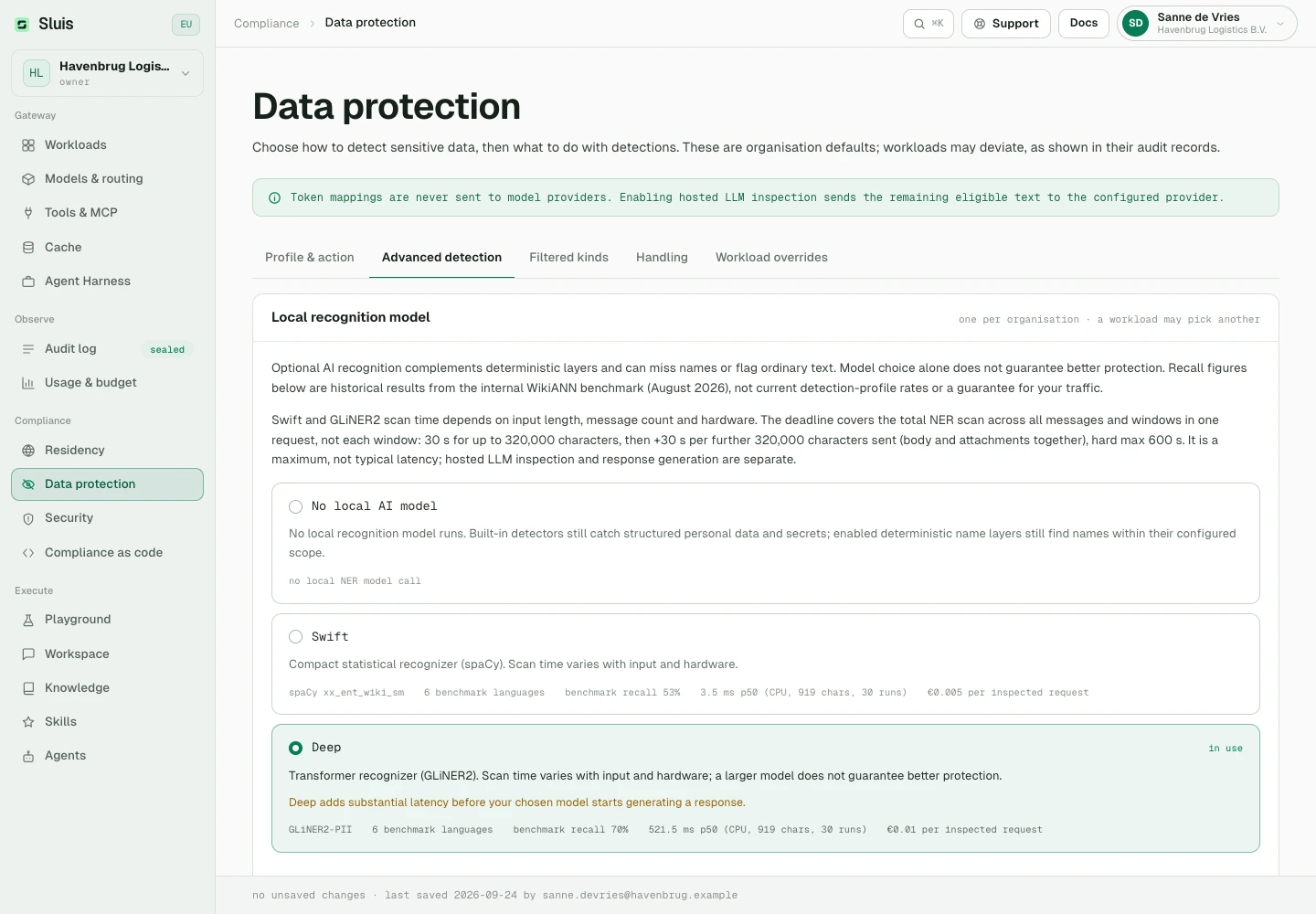
    AI name recognition costs €0.005 per request with Swift and €0.01 with Deep, shown under Data protection. Knowledge uploads are billed at the embedding model’s price.

    Name recognition billed per request
  • Changed

    Failed calls that reached the provider

    When a provider times out or a streamed answer breaks off, the call is billed for the usage the provider reports, or for an estimate marked as such. Failures on our side and error responses from the provider stay free.

  • Changed

    Provider-side features need your own key

    With Sluis’s shared keys, requests that store data at the provider, use the provider’s hosted tools or ask for premium options we cannot meter are refused. Connect your own provider key to use them.

  • Changed

    Safer sign-in and invitations

    Signing in to the desktop app through your browser now asks you to confirm, so update older desktop apps. People who already use Sluis accept an emailed invitation before they join another organisation, and Microsoft sign-in explains what to fix when an account has no email address.

  • Changed

    Sluis Chat is now Sluis Workspace

    The app now lives at /workspace. Old links and bookmarks take you there automatically.

  • Changed

    Safer agents and schedules

    A schedule pauses when someone other than its creator changes the agent, until it is saved again. After a password reset your schedules pause and your personal MCP connections are removed. Memories saved from web or tool results are marked as unverified.

  • Changed

    One address for questions

    Billing, security and support questions all go to hello@sluis.ai.

  • Fixed

    Redaction, checks and model routes

    Phone numbers written in groups are redacted whole, the scope guard and security scan refuse fewer valid requests, name recognition holds up under bursts, and managed sluis/ routes are refreshed again and move to another allowed model when your key cannot use the first.

  • Fixed

    Screening, limits and VAT

    Text sent as form uploads and in other request formats is screened too, cached answers stay within their workload, spending limits count calls that are still running, VAT follows your confirmed VAT number, and a blocking scope guard refuses a request it cannot read.

  • Fixed

    Placeholders in Workspace answers

    With pseudonymisation on, an answer that used a tool or followed an earlier message could show a placeholder such as «LOCATION_4», or the wrong detail, instead of what you wrote. Answers now show your own details again.

  • Fixed

    Workspace details

    Conversation titles no longer show attachment markers, an agent no longer creates the same file over and over, answers know today’s date and no longer repeat themselves after a tool call, and Connections says a connection is not available instead of showing an error. On a phone, + now starts a new chat.

  • Fixed

    Automatic model choice with tools

    A Workspace answer on sluis/auto no longer fails when the turn can use tools: it goes to a model that accepts tools in that form.

  • Fixed

    Storage limits, uploads and agreements

    Uploads made at the same moment can no longer go past the storage limit, and publishing an unchanged Skill package again at the limit works. Tools that cost money stop once the organisation budget is used up. Agreement messages about verifying your email or choosing the signer now appear in your language.

  • Fixed

    Sluis Edge and agency safeguards

    Revoking a Sluis Edge gateway or licence now cuts its live connection within a minute, and Edge spending limits hold when many requests arrive at once. Accepting the data processing agreement for a client organisation needs a verified email, and an agency can no longer choose or change a client’s legal signer.

Apps

Workspace on iPadOS 27

A focused fix for the iPad app.

  • Fixed

    The iPad app starts on iPadOS 27

    Sluis Workspace for iPad no longer closes at launch on iPadOS 27.

WorkspaceConsoleAppsBilling

Sign in with Apple

Another way to sign in, sign-in screens that work first time, and fewer billing emails.

  • New

    Sign in with Apple

    Sign in or create your account with your Apple ID on the web. The desktop app offers Sign in with Apple too.

  • Fixed

    Google sign-in and account creation

    On the web, the Google button appears straight away again and creating an account works again.

  • Improved

    Fewer credit reminders

    Credit emails only go to organisations that used Sluis in the last 30 days and have paid before. The out-of-credit email stops after four in 30 days.

GatewayBillingApps

A new website, Nebul and prepaid credit

A rebuilt sluis.ai, a new EU provider and a clearer way to pay.

  • New

    Nebul provider

    EU-owned, EU-hosted models from Nebul, with your own key or ours, priced in euros.

  • Changed

    Prepaid credit

    Top up from €25 and switch on automatic top-up if you like. Usage draws from your balance.

  • Improved

    Smarter sluis/auto

    Automatic routing only picks models your organisation can actually call.

  • New

    Workspace 0.2.3 apps

    The Mac, Linux and Android downloads carry the new Sluis symbol, with native fixes.

  • New

    A new sluis.ai

    The website is rebuilt, in all seven languages.

ConsoleSecurity

Audit filters and a support panel

Find the requests you need faster, and reach us from any console page.

  • New

    Filter the audit log by workload and API key

    Combine them with decision, model and date. Each request keeps the workload it was admitted under.

  • New

    Support from the console

    Report a problem or request a feature from the top bar. The page you are on is attached for you.

  • Improved

    Steadier security scanning

    Two scanners share the load, and overlapping scans wait briefly for capacity instead of failing straight away.