Drop Sluis in front of your model calls.
Sluis is an OpenAI-compatible proxy. Change one line, your base_url, and every request starts flowing through your residency policy and into the tamper-evident ledger. No SDK to learn, no payloads to rewrite. Five steps below; the full reference lives in the sidebar.
Time to first sealed call: ~2 minutes. If your code already talks to OpenAI, you keep your client, your models, and your message format exactly as they are.
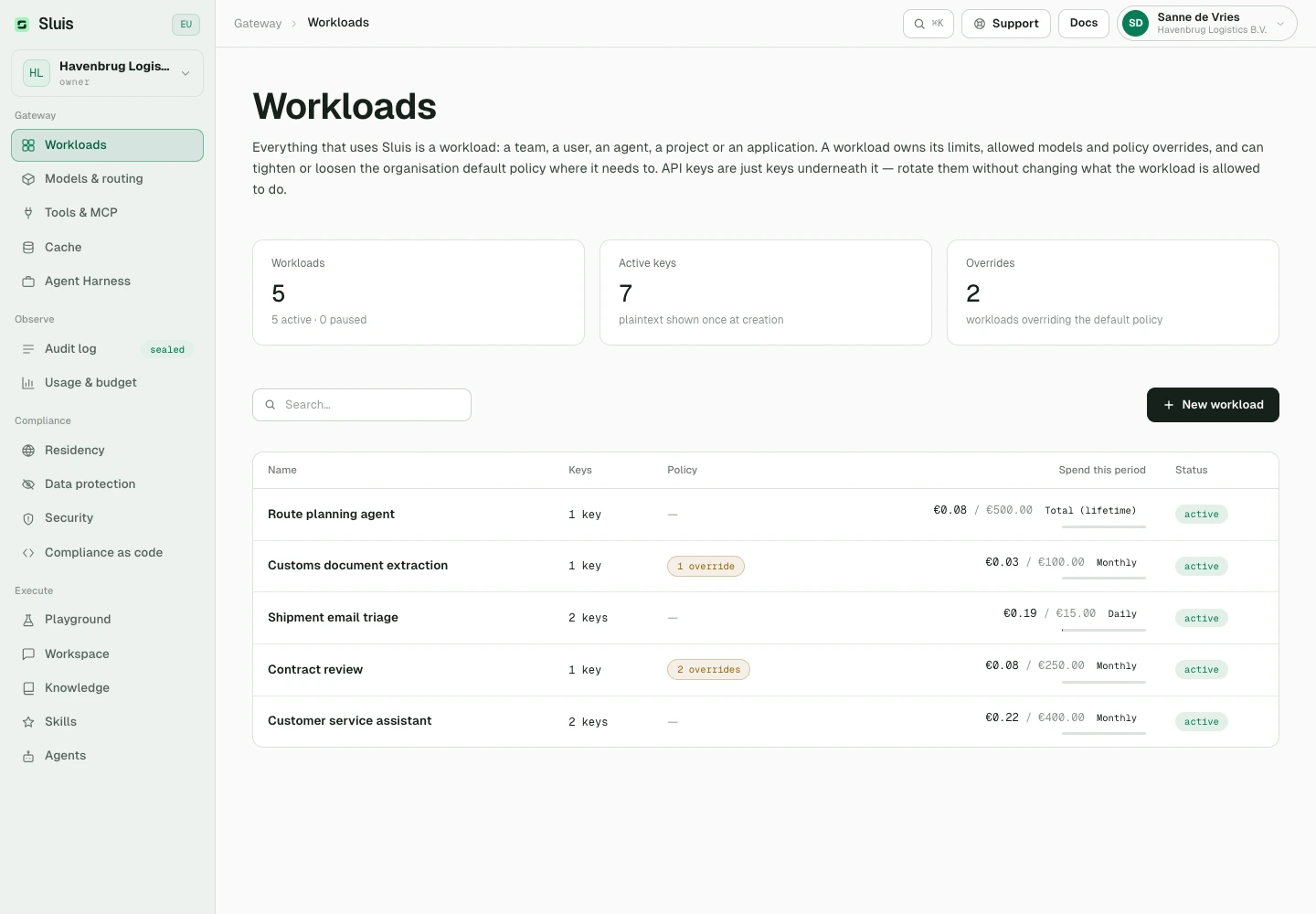
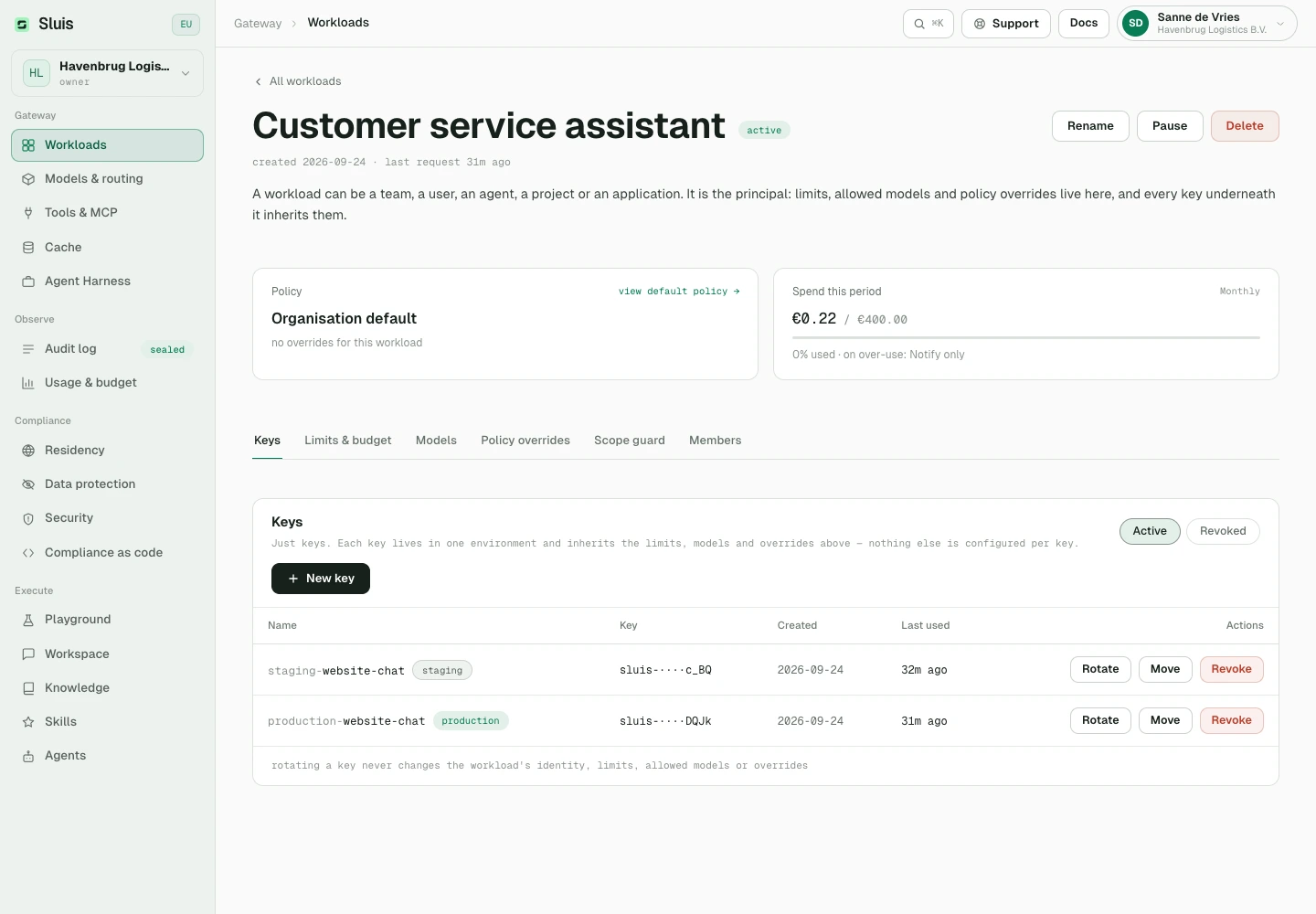
Get a key
Create a key in the Console under Workloads. The workload owns limits and policy settings; the key is only a credential. Your organisation’s residency policy can use eu-only for anything personal and eu-uk-us for general drafting without changing any code.
# keep it in your environment, never in source
export SLUIS_KEY="sluis-7Qk2vN4xR…"
Point base_url at Sluis
Swap the host. Everything downstream (models, streaming, tools, function calling) works unchanged because Sluis proxies the same API surface.
from openai import OpenAI

client = OpenAI(
    base_url="https://api.sluis.ai/v1",
    api_key=os.environ["SLUIS_KEY"],
)
import OpenAI from "openai";

const client = new OpenAI({
  baseURL: "https://api.sluis.ai/v1",
  apiKey: process.env.SLUIS_KEY,
});
// no SDK required — reqwest = { version = "0.12", features = ["json"] }
let client = reqwest::Client::new();
let base = "https://api.sluis.ai/v1";  // ← the only change
let key  = std::env::var("SLUIS_KEY")?;
curl https://api.sluis.ai/v1/chat/completions \
  -H "Authorization: Bearer $SLUIS_KEY" \
  -H "Content-Type: application/json" \
  -d '{ "model": "mistral/mistral-large-latest", "messages": [...] }'
# already on the Anthropic SDK? Only the base URL changes.
from anthropic import Anthropic

client = Anthropic(
    base_url="https://api.sluis.ai",   # the SDK appends /v1/messages
    api_key=os.environ["SLUIS_KEY"],
)

# Claude Code, in one line — no plugin, no config file
export ANTHROPIC_BASE_URL="https://api.sluis.ai" ANTHROPIC_AUTH_TOKEN="$SLUIS_KEY"
Already use the Anthropic SDK or Claude Code? Point its base URL at Sluis. Headers, streaming and errors are documented in the API reference.
Send a request
Call it exactly as you would call the provider. Sluis inspects the request, routes it through your policy, seals it in the audit chain, and returns the model's response unchanged. Calls to a sluis/* alias disclose the concrete route in x-sluis response headers.
# Anthropic Claude, served from Google's EU multi-region
resp = client.chat.completions.create(
    model="vertex/claude-opus-4-8",
    messages=[{"role": "user", "content": "Summarise this chart…"}],
)
print(resp.choices[0].message.content)
// Anthropic Claude, served from Google's EU multi-region
const resp = await client.chat.completions.create({
  model: "vertex/claude-opus-4-8",
  messages: [{ role: "user", content: "Summarise this chart…" }],
});
console.log(resp.choices[0].message.content);
// Anthropic Claude, served from Google's EU multi-region
let resp: serde_json::Value = client
    .post(format!("{base}/chat/completions"))
    .bearer_auth(&key)
    .json(&serde_json::json!({
        "model": "vertex/claude-opus-4-8",
        "messages": [{ "role": "user", "content": "Summarise this chart…" }]
    }))
    .send().await?
    .json().await?;

println!("{}", resp["choices"][0]["message"]["content"]);
# response headers on a sluis/* alias call
{
  "x-sluis-route": "sluis/auto",
  "x-sluis-model": "vertex/claude-opus-4-8"
}
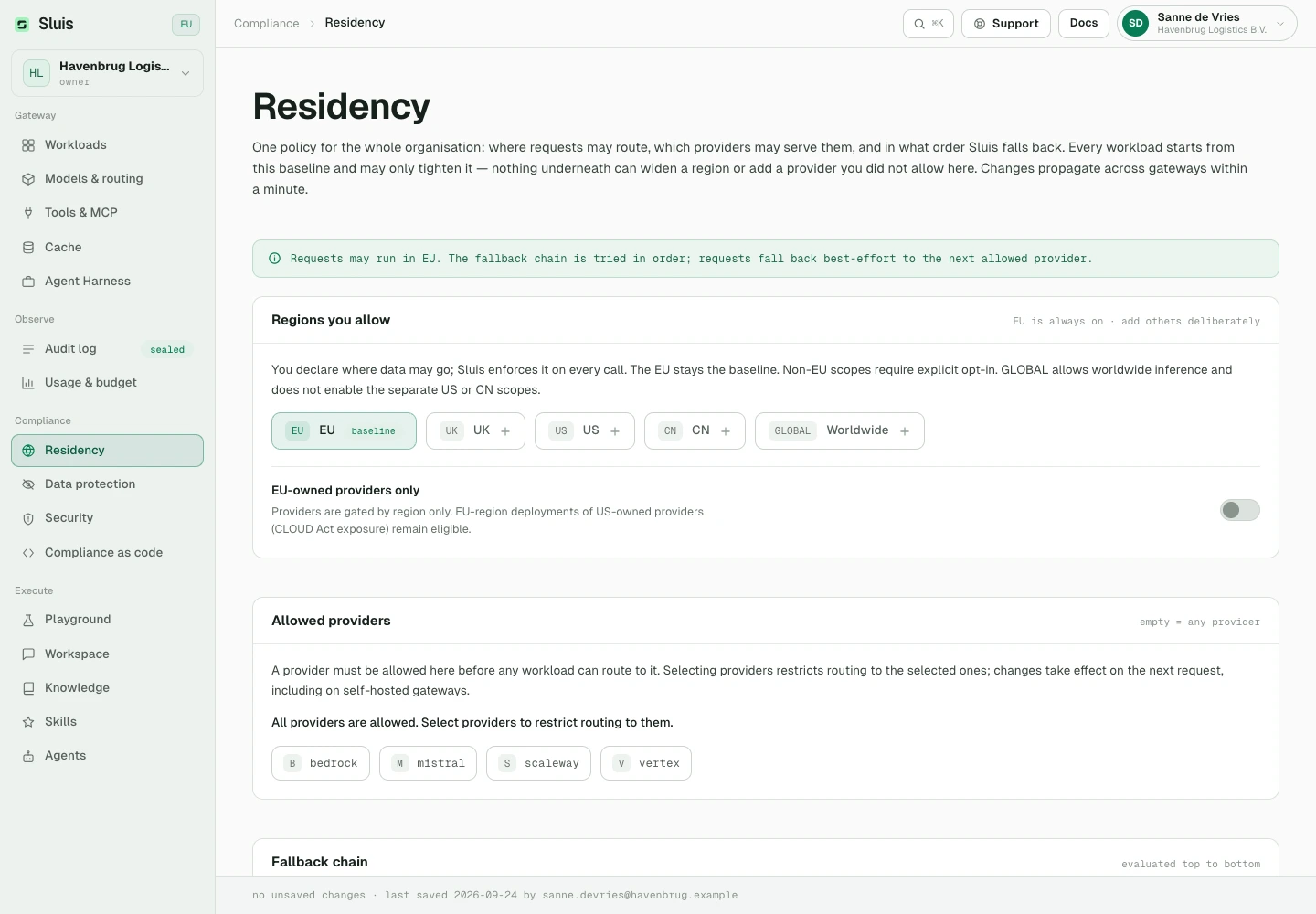
Set residency
Residency is organisation policy, set in the Console (Residency) and enforced at dispatch on every request. The default allows only the EU jurisdiction: a request that would reach a provider outside the allowed set is refused with 403 before a byte leaves, whether the prompt holds PHI in a HIPAA-regulated workflow or special-category data under GDPR.
# default policy is EU-only — a US provider is refused at dispatch
curl https://api.sluis.ai/v1/chat/completions \
  -H "Authorization: Bearer $SLUIS_KEY" \
  -H "Content-Type: application/json" \
  -d '{ "model": "openai/gpt-5.6", "messages": [...] }'

# → 403 permission_error
# "provider `openai` (jurisdiction `US`) is not permitted by the tenant's residency policy"
Broadening where data may go is always an explicit, recorded decision: the Console requires a transfer-terms acknowledgement before US or Chinese providers unlock, and the change lands in the audit trail.
Need to keep personal data out of the model entirely, so you can use any model without leaking a single name, number, or secret? Enable Data protection: Sluis replaces detected PII and secrets with stable typed tokens (e.g. «EMAIL_1»), forwards only the tokens to the provider, and restores the originals in the response. The map is never persisted. That is what makes any third-party model safe to call. The full detector library and name detection are covered in the Data protection reference below.
Verify the seal
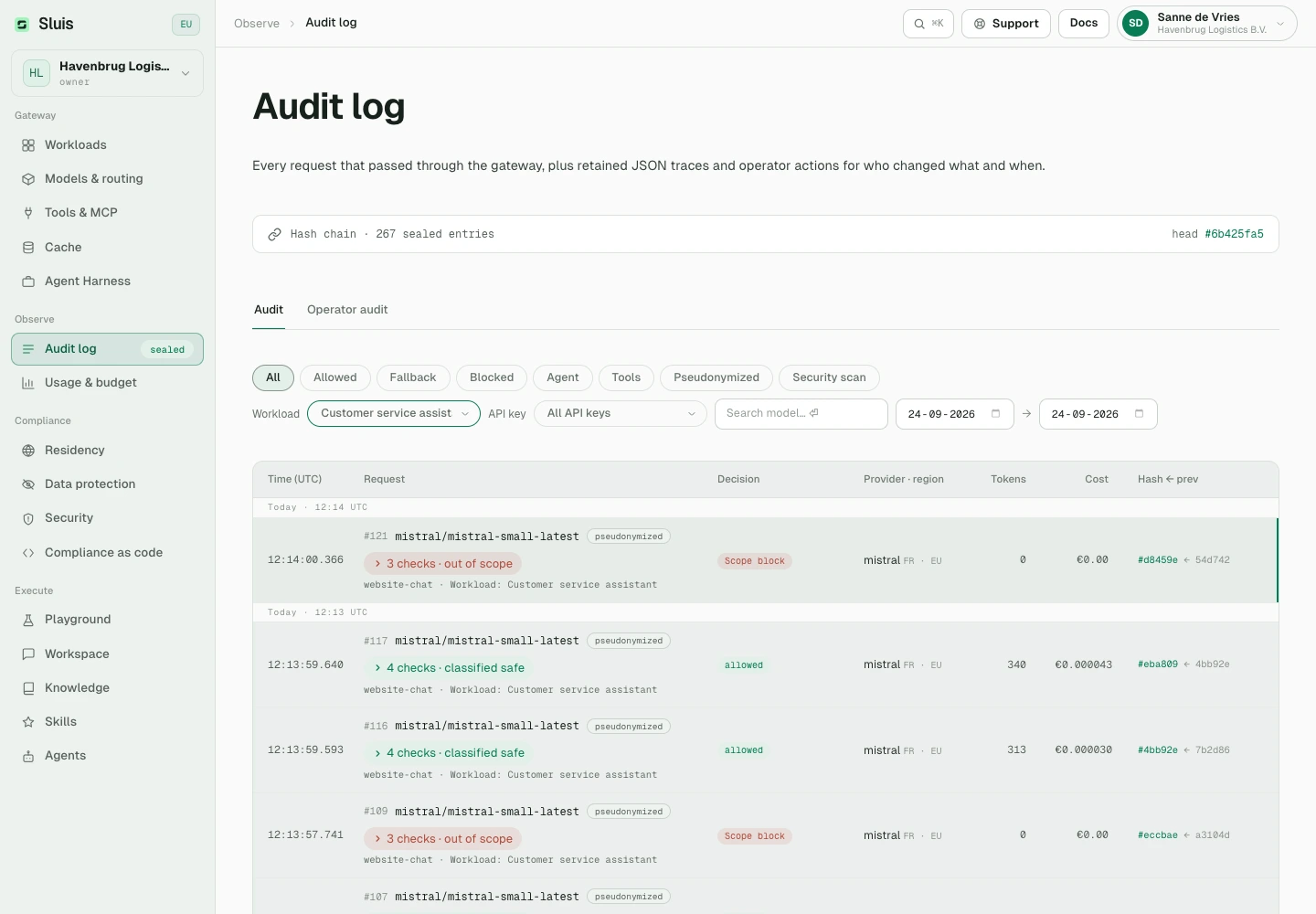
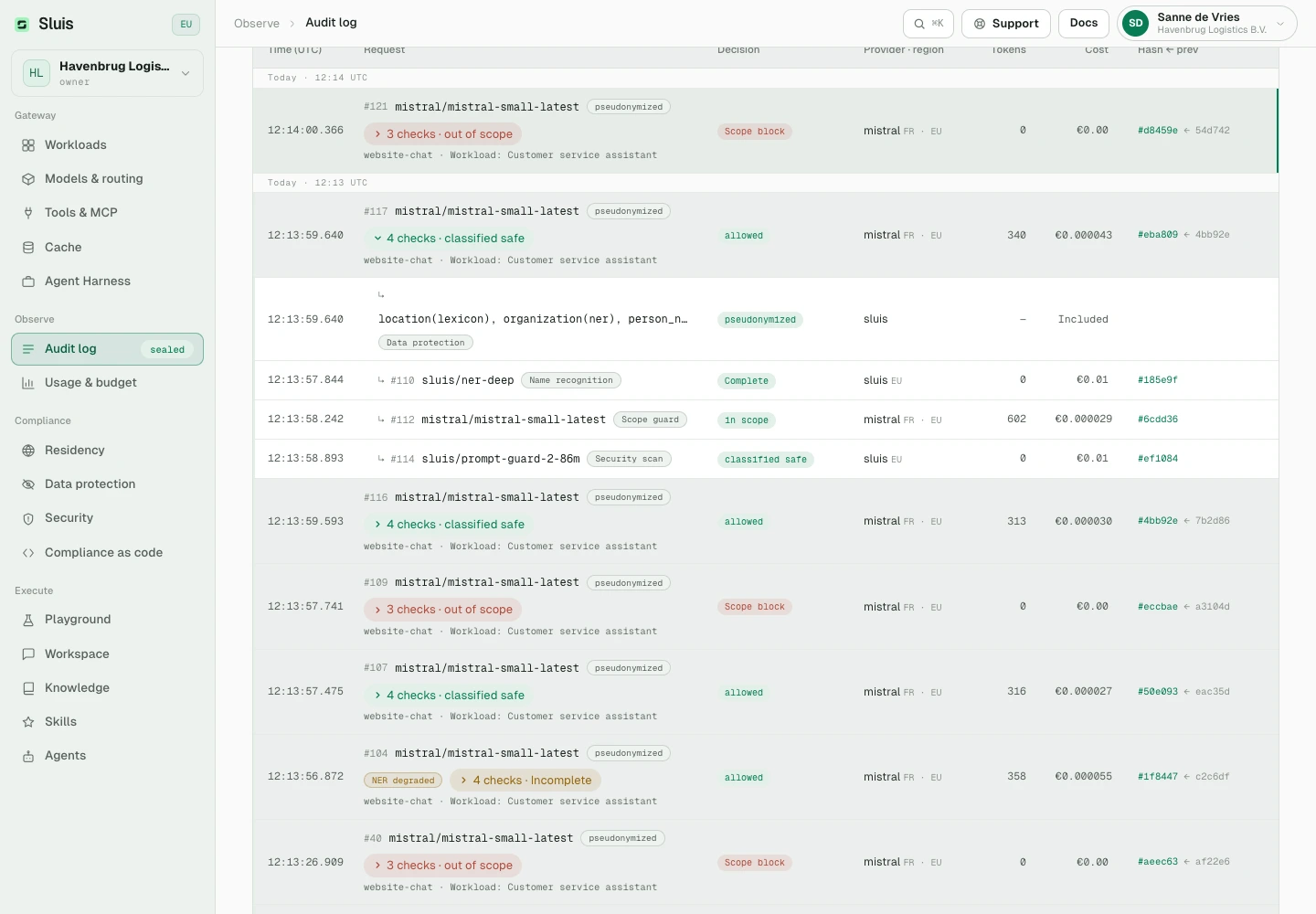
Every call appends an entry to the hash chain. Each entry's hash is sha256(prev_hash + record), so any altered field downstream breaks every link after it. Read the audit metadata over the admin API; a full export and a chain verification run through the gateway CLI.
In the console's Audit log, each request is one row. Expand it to see the checks it ran: name recognition, LLM privacy inspection, the workload scope guard and the security scan. Each check remains its own sealed entry in the chain, with its own cost. GET /admin/audit returns them in the request's checks list.
# audit metadata over the admin API, admin token scope audit:read
curl "https://api.sluis.ai/admin/audit?from=2026-09-01" \
  -H "Authorization: Bearer $SLUIS_ADMIN_TOKEN"

# a full export and a chain verification are operator CLI subcommands
sluis-gateway audit export --tenant $TENANT_ID
sluis-gateway audit verify-chain --tenant $TENANT_ID

# → chain intact
Agent skill for your coding assistant
Build with an AI coding assistant? Download the Sluis agent skill: one SKILL.md plus reference files that cover every endpoint, the exact error codes, residency, data protection, keys and workloads. Unzip it into your assistant's skills folder. It then answers from our reference instead of guessing at the API.
Download the agent skillZIP with SKILL.md and reference files